

Online donations are a great way to maximize your nonprofit’s time and resources while having a larger impact. Support your mission-driven work and ensure financial stability in this modern tech-focused world.
Why Nonprofits Need To Accept Donations Online
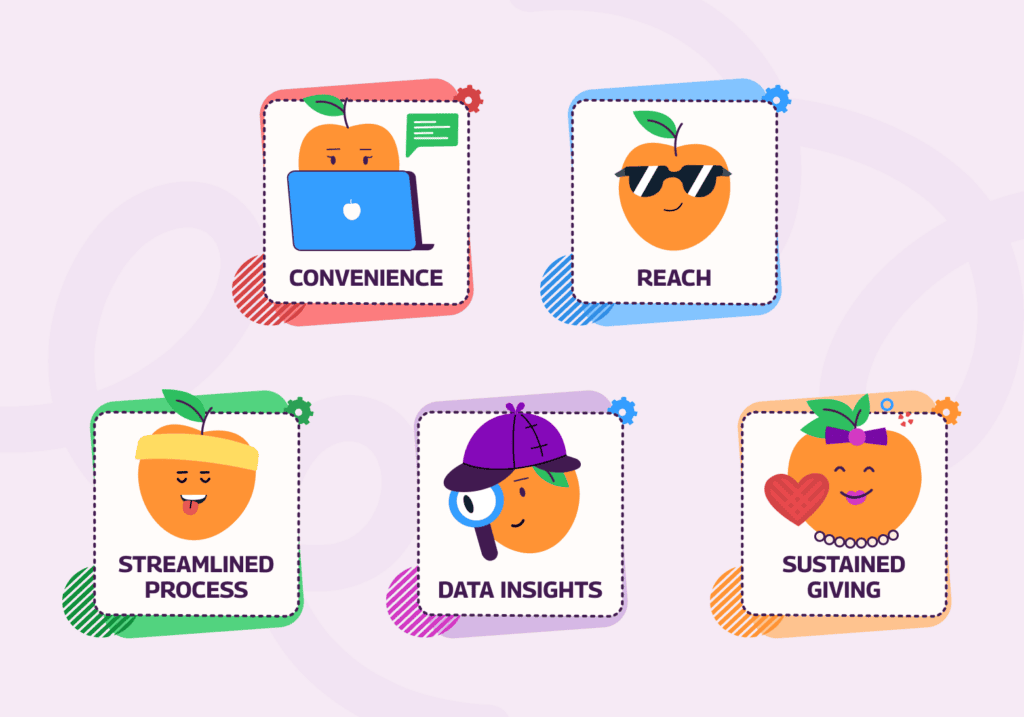
Accepting online donations is crucial for nonprofits and charitable organizations. Donations are a huge part of the fundraising strategy, and moving digitally allows for:
- Convenience for donors: Supporters can give anytime from anywhere, using their preferred devices.
- Broadened reach: Reach an audience beyond your local community.
- Streamlined processes: Simplify donating without checks or cash.
- Insights into donor behavior: With data collection and analysis, track trends, demographics and effectiveness.
- Sustained giving: Set up recurring donations to encourage long-term support and stable income.
Choosing A Payment Processor And Understanding Fees
Online donation platforms make it easy to enhance the fundraising experience for both your organization and donors. Common features include:
- Customizable donation forms
- Easy-to-build donation pages
- Automated and recurring donation capabilities
- Multiple payment options
- Mobile-friendly interface
- Donor management
- Analytics and reporting capabilities
- Social media integration
- Fundraising campaigns
Processing your donations securely and easily is key for a great user experience – plus it makes management easier! Your online donation tool might have its own payment processor, but chances are you’ll need a third-party processor, such as PayPal.
Building A Donation Form That Converts
You can’t accept donation payments without a donation page. Building out a designated page on your organization’s website is the first step and your virtual fundraising foundation.
A great donation page should:
- Share about your organization’s mission and goals
- Explain how the donations will be used and the impact
- Offer a simple-to-use online donation form
- Be consistent with your brand, colors, fonts and imagery
Tip: Many donors need the receipts from their online transactions with your organization to easily file their donation tax forms. Most online payment processors will automatically send donation receipts to your supporters. Ensure you’ve properly set up the automation to save you time and reduce the stress of doing it manually.
Keeping Donor Payment Data Secure (PCI Compliance)
Keeping donor payment data secure requires compliance with the Payment Card Industry Data Security Standard (PCI DSS). Nonprofits are required to protect cardholder data by using certified secure payment processors, never storing CVV codes or full card numbers, and shredding physical donation slips.
The core security rules include:
- Do not save CVV security codes, PINs, full magnetic stripe data, or any other sensitive information anywhere after authorization.
- If card numbers must be temporarily retained for record-keeping, mask them to show only the last 4 digits.
- Destroy paper donation slips once processed using a cross-cut shredder, or lock them in a secure container.
- Use secure online forms or phone processing, and instruct donors never to email credit card details.
Tip: Learn about PCI Security Standards Council standards, and read the TNPA guidelines on updated regulations.
Setting Up Recurring Donations
Recurring donations are one of the biggest benefits of online giving. Recurring donations are subscriptions to automatically donate to your organization at regular intervals.
The most common way to set up recurring donations is through a monthly giving program. However, they can also be set up at other intervals, such as quarterly, semi-annually, or annually. On your donation form, include donation options to allow their contribution to be made monthly, quarterly or annually. This will give your organization a stable source of funding, and donors won’t have to waste time revisiting your site to give.
Tip: You can manage all your donations from your donor management software.
Promoting Your Online Donation Page
What good is building out an optimized donation page if no one knows about it? It’s critical to market this page to your supporters. You can do this in a variety of ways.
- Email Campaigns: Send dedicated fundraising emails with a link to your new donation page to drive traffic. Be sure to include all those in your donor base – long-time donors, new supporters and even potential givers.
- Social Media: Whether you use Instagram, Facebook, LinkedIn or even TikTok, increase your online presence with a donation appeal through social posts. Share impact stories in these posts and link to your online donation page to boost engagement and funds.
- Newsletter Placement: Your subscribers are more likely to engage with your communications regularly. Be sure to link to your donation page in every email newsletter to maximize impact.
- Donation Buttons: Any time someone visits your organization’s page, there’s a chance they’ll want to support your mission. Having a donation button visible on any page is key to boosting traffic to your donation page. You may even have advanced donation forms that can be tied to the donate button, allowing individuals to donate without navigating to another page.
- Monitor, Analyze and Adjust: The most effective fundraising campaigns are flexible and will pivot based on success. Monitor the donation page’s performance with data like:
- How many page visitors leave without donating
- Average gift size
- How many touches (e.g., emails, interaction with social media) before donors give
There are a couple of different campaign strategies you can implement to market your fundraising goals, engage your supporters, and increase your impact.
- Peer-to-Peer Fundraising: Peer-to-peer fundraising uses your existing donor base to reach a wider audience and encourage them to raise money on your behalf. P2P fundraising is low-cost and low-effort, a great campaign to utilize if you’re working on a tight budget with limited staff or volunteers. Classic examples include the ice bucket challenge and walk-a-thons.
- Donation Matching: Donation matching is another budget-friendly campaign idea for increasing donations. Connect with businesses and double your fundraising efforts. Ask your donors to inquire with their employers about matching any donations to your organization.
- Fundraising Thermometers: Having goals for your fundraising campaigns gives donors a sense of urgency and helps you reach specific financial targets more quickly. To do this, implement fundraising thermometers on your website, donation pages, social media and newsletters. Supporters will know how close you are to the goal and be incentivized to donate more.
- Text-to-Give: Almost everyone has a phone on them at all times, so why not use this to your advantage with a text-to-give fundraising campaign? This will allow you to accept donations via text messages, sometimes automatically charged to the supporter’s cell phone bill, making giving even easier for donors.
Following Up And Thanking Donors
Recognizing and thanking donors is key to building and retaining donor relationships and boosting engagement. Show your appreciation by:
- Acknowledging donors in your newsletter
- Having a section on your website to highlight donors
- Sending personalized thank-you letters
- Highlighting supporters’ impact on your social media channels
Tip: Seeing that others are appreciated for their donations can entice new donors.
Read more: Donor Acquisition Strategies to Boost Your Impact
You can also use this as an opportunity to keep your supporters updated. Donors give because they believe in your mission and want to support your efforts. Share impact stories of what your nonprofit or charitable organization does with donated funds. If you had a specific goal you were trying to reach, update your supporters on where you’re at or celebrate if you’ve reached it. You can do this via your website, social media, and newsletter emails.
Tools That Make Online Giving Easier
With the right tools and strategies, online donations can be an effective way to drive fundraising results for your organization. Online giving tools can help harness your community of supporters to make an impact on an important cause and can help diversify your revenue streams. Using a membership management tool, you can build an optimized donation page, organize your contacts, create engaging emails and integrate donation requests into your event forms.
Your donor database will be a hub for everything about your donors. Manage your donor’s information, such as their contact details and giving history. This data allows you to segment your supporters, customize your messaging and ultimately enhance your fundraising efforts.
Getting online donations doesn’t have to feel like a daunting task. With these best practices in mind, you can be sure your organization is on the path to driving the donations it needs.
FAQs
What’s the best way to accept donations online?
The best way to accept donations online is by using a dedicated fundraising platform with an embedded, mobile-friendly form on your nonprofit’s website.
How much do payment processors charge for nonprofit donations?
According to the US Chamber of Commerce, many merchant account providers offer lower rates for registered 501(c)(3) organizations. However, some require monthly minimums. Depending on the vendor, you may pay more than a payment processing fee. All-in-one donation platforms typically charge monthly or annual fees plus per-transaction fees. Credit card processing fees for nonprofits typically range from 2.2% plus 30 cents to 3.5% plus 30 cents. However, nonprofits may need to pay platform fees or process a higher volume of payments.
Is it safe to accept credit card donations online?
Yes, as long as you are PCI compliant. Keeping donor payment data secure requires compliance with the Payment Card Industry Data Security Standard (PCI DSS). Nonprofits and charities must protect cardholder data, use certified secure payment processors, never store CVV codes or full card numbers, and shred physical donation slips.
How do I set up recurring donations?
Recurring donations are subscriptions to automatically donate to your organization at regular intervals. The most common way to set up recurring donations is through a monthly giving program. However, they can also be set up at other intervals, such as quarterly, semi-annually, or annually. On your donation form, include donation options to allow their contribution to be made monthly, quarterly or annually. Tip: You can manage all your donations from your donor management software.
Do I need a separate donation page or can I embed a form on my site?
You do not need a separate webpage for donations. You can embed a secure donation form directly onto your nonprofit’s existing site to keep your donors safely on your domain.