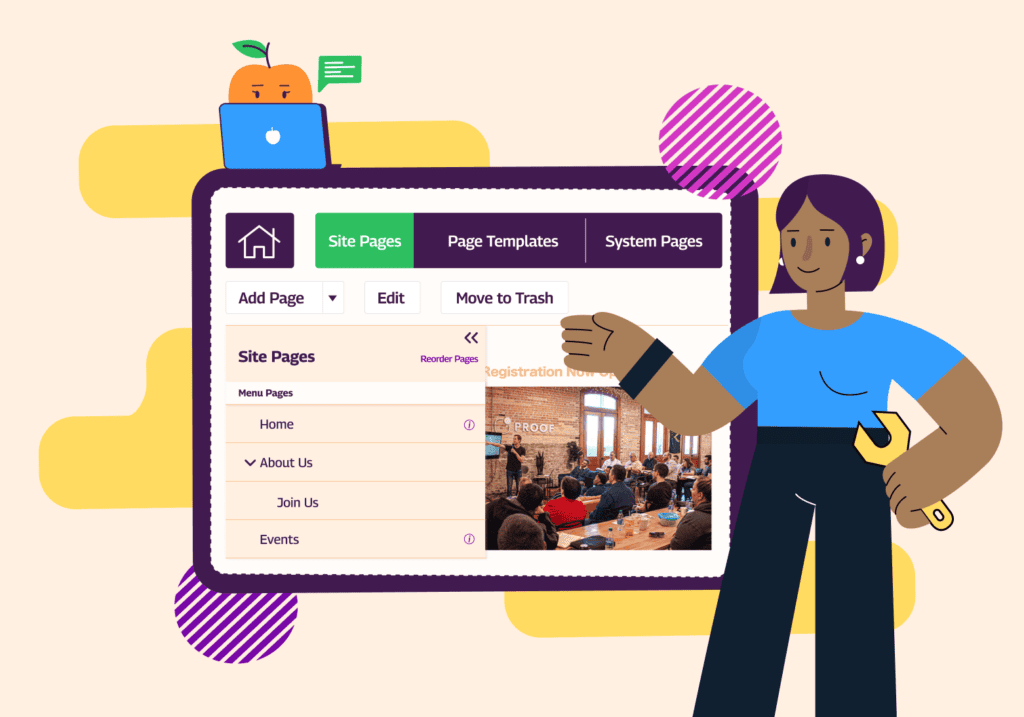


From member payments to stewardship touchpoints to event registrations, associations big and small have a lot to track.
If you’re in charge of managing these processes, the right association CRM can quickly become your new best friend.
In this post, we’ll go over:
- What an association CRM actually is
- The difference between an AMS and a CRM, and how to decide which is best for your association
- The top 12 association CRMs on the market today
- An implementation guide to make it quick and easy for you to get started
Read on to find out everything you need to know about choosing the right CRM for your association!
What is an Association CRM?
An association CRM, also known as a membership CRM or association management software, is an all-in-one tool for managing your association’s administrative activities, specifically geared toward member-based organizations. It includes features spanning member payments, a website builder, a member database, event registration, and more. Two of the most commonly used are WildApricot and MemberClicks.
What’s The Difference Between an Association CRM, an AMS, and a CRM?
As we said above, an association CRM is the same as an AMS (association management software), a term you might be more familiar with.
A traditional CRM, on the other hand, stands for Customer Relationship Management, sometimes referred to as constituent relationship management in the nonprofit realm. These platforms focus specifically on managing your organization’s pipeline and conversions, rather than serving as an all-in-one platform — think tracking how someone who’s filled out a form on your site eventually becomes a donor, then integrating with the email platform you’d use to communicate with them. Two of the most well-known options are Salesforce and HubSpot.
To help break it down, here’s a helpful comparison table with all the differences:
| Software | Association Management Software (AMS) or Association CRM | Customer Relationship Management (CRM) |
| Primary User Base | Membership-based organizations looking to manage and engage members, run events, and process renewals and payments | Any organization looking to manage relationships and interactions with individual contacts; this can be members, but could also be donors, volunteers, prospects, or customers |
| Core Features | Managing membership operations: event registration, certifications, forums and finances (ie: dues/renewals/donations) | Contact management: tracking communication, engagement, marketing automation and sales/donation pipelines |
| Customizations | Configuration-based: fine tune existing set-up | Highly flexible: usually built from scratch |
| Technical Skill Needed | Low, most are ready “out of the box” for association needs | Moderate to high; developer may be needed |
| Integrations | Some, but not as important; designed to be a one-stop shop for associations, focused member needs (event, LMS, email etc.) | Extensive: designed to connect with a wide range of tools (marketing, sales, comms etc.) since it’s focused more specifically on one use case |
| Data Insights and Reporting | Focused around the member lifecycle: renewals and engagement. Might also contain information around donor management and fundraising if those capabilities are present. | Contact relationship: lead tracking and revenue insights. |
| Analytics and Reporting | Membership KPIs: renewals, event attendance, certifications | Data analysis: sales, donations, sponsorships, ROI, retention |
| Best for | Professional or trade associations
Chambers of commerce Clubs and community orgs HOAs and condo associations Nonprofits |
Businesses
Coalitions Foundations Professional service orgs |
Should Your Organization Use an AMS or CRM?
Our perspective is that most associations should use an AMS or a CRM for associations.
That’s because associations have specific needs around event registration, member engagement and fundraising, which an all-in-one platform like an AMS can support without needing your association to purchase more than one tool or worry about integrating multiple platforms.
However, there are a few scenarios in which a traditional CRM is the right choice for your association.
Here are a couple of questions to help you figure it out:
| Question | AMS | CRM |
| What’s our core goal? | Managing everything: memberships, renewals, and events | Building and tracking relationships, donations and communications |
| How membership-driven is our organization? | Dues-paying members who need renewals, portals or tiered benefits | Contacts, leads or donors without formal memberships |
| What data do we need to manage? | A variety: memberships, donations, and events | Only communications, pipelines and engagement history |
| How much customization do we want to do? | We’re looking for a simple, out-of-the-box solution, that’s built for associations | We have a specific vision in mind, including flexible, custom workflows |
| What tools do we already use — and how do they integrate? | We’re moving off spreadsheets, and need an all-in-one platform that covers all our needs | Separate systems we already love (for events, payments, websites) |
| How many staff will use the system — and for what? | Multiple departments or roles (membership, finance, events) need access, to do different tasks | It will only be used by a small team for specific needs around member tracking |
It ultimately comes down to one question.
Do you want an all-in-one platform that includes features like event registration, recurring payments and a website builder, along with your member database?
If so, choose an AMS or association CRM.
But if you’re looking specifically for a place to track contacts and how they convert to members, a CRM might be the right choice for you.
The bottom line is that the largest benefit of traditional CRMs is also where they fall short when it comes to their use by associations: they’re not customized for associations’ additional needs.
If, like many of the associations we hear from, you have a limited budget, an all-in-one platform like an AMS will likely suit you better since it eliminates the need to pay for multiple tools.
Top 11 Association CRMs Your Organization Can Choose From
Have we convinced you yet that an association CRM is the right choice for you?
If so, it’s time to learn more about the different options on the market.
Read on to learn about the 11 most popular association CRMs, what type of association they’re best suited for, how they’re priced, and some key features.
1. WildApricot
Pricing: Plans start at $63/month
Trial: Free 60-day trial available
Best for: Small to mid-sized associations, that are looking for a DIY tool to manage their members
Thousands of associations use WildApricot to manage their members every day. WildApricot has an open API that allows you to customize the software to your specific needs, plus integration with WordPress and QuickBooks. It also includes an online store, so your organization can easily sell merchandise and other items to supplement the revenue you get from membership fees.
Key features:
- Drag-and-drop website builder
- Built-in emailing system
- Mobile app for members and admin
- Membership database
- Member portal with membership directory
- Event management with customizable registration forms
- Automated member payments and renewals
Given its ease of use, ability to customize and multiple features, WildApricot packs a lot of bang for its buck, making it an especially great choice for associations who are on a budget but still want to provide a lot of value for their members. Unlike many other membership CRMs on this list, there’s also no surcharge for additional features or setup fees — what you see is what you get!

Start your free 60-day trial of WildApricot now!
2. MemberClicks
Pricing: Available upon request
Demo: Available upon request
Best for: Mid-sized trade and professional associations and chambers of commerce, looking for an all-in-one solution
MemberClicks builds integrated membership management software solutions specifically for small-to-midsize professional associations, trade associations and chambers of commerce. It’s an excellent choice for associations who want a little more help getting set up or have more robust reporting needs, as well as those who have organizations or businesses, rather than individuals, as members.
Key features:
- Intuitive reporting and analytics tools
- Learning management software
- Event management
- Job board software
3. ThreeSixty
Pricing: Available upon request
Demo: Available upon request
Best for: Enterprise-level associations that also want to be able to manage front-desk processes and meetings through their AMS
ThreeSixty is a powerful, modular, and configurable membership management platform that empowers enterprise-sized, mission-driven associations.
The platform is particularly useful for managing finances and e-business on top of the usual member management tools.
Key features:
- Marketing and communications tools
- Inventory management
- Certification programs
- Analytics capabilities
- Event registrations
- Dues collection tools
4. Brilliant Directories
Pricing: Plans start at $145/month
Demo: Available upon request
Best for: Organizations who care most about having a public-facing member directory
Brilliant Directories is a good option for larger associations looking for a website-focused solution and professional branding. The software lets you select a directory theme to easily launch a new member website. Users are able to sync the software with over 5,000 different apps for more streamlined administration.
Key features:
- Website design assistance
- Email marketing
- Content publishing
- Automated payments
- Membership database
5. Glue Up
Pricing: Starts at $2,500/year
Demo: Available upon request
Best for: Associations that care most about online community features
Glue Up is a centralized membership CRM that is focused on member insights and engagement. With their comprehensive data analytics and financial management, you can deepen your relationships with members while boosting revenue.
Key features:
- Cloud contact database
- Task management
- Customizable dashboards
- List segmentation
- Revenue forecasting
6. Easy HOA
Pricing: Available upon request
Demo: Available upon request
Best for: Homeowners’ associations that aren’t as focused on building community
As its name implies, Easy HOA is an association CRM with features tailored for homeowner associations, such as architectural requests and maintenance tracking. They’re less focused on providing an online community or on member engagement compared to others in this list, and are more focused on delivering a better back-office experience for HOA staff.
Key features:
- Violation and request tracking
- Centralized communications
- Online payments and automated payment reminders
7. NonProfitEasy
Pricing: Starts at $280/month for their Donor Management Plus package, which includes member management functionality for up to 25K contacts
Demo: Available upon request
Best for: Associations with a lot of fundraising needs
NonProfitEasy specializes in donor management. This can make it a great choice for associations whose members are also often donors, and who also want to track grants alongside their donations.
Key features:
- Member management
- Event registration and management, along with sponsorship reporting
- Pledge and grant management
- Crowdfunding
8. memberplanet
Pricing: Standard plans start at $50/month, plus payment processing fees. Enterprise prices are available upon request.
Demo: Video demo available on website
Best for: Associations with a limited budget that just want a simple platform
memberplanet is one of the least expensive association management platforms, making it a good choice for organizations who are ready to move away from managing their members in spreadsheets but don’t need all the bells and whistles other platforms offer.
Key features:
- Survey tools
- Email communications
- Mobile optimization
- Personalized donation pages
- API integrations
- Marketing automation
9. MemberLeap
Pricing: Starts at $230/month for up to 200 active records and their most basic set of features
Demo: Available upon request
Best for: Associations that have a very specific set of features they are willing to pay for
MemberLeap can be used by associations, large or small, though features vary greatly between levels. Its higher plans include some specific features that other platforms don’t offer, like volunteer management and the ability to organize legislative campaigns. However, relative to other platforms, its lowest tier is quite expensive and doesn’t offer as much functionality (for example, event management isn’t included, and its mobile app is only included with the highest tier). We’d recommend it only if your association has very specific needs that are addressed by its more expensive plans, and you have the budget to match.
Key features:
- Website content manager and web hosting
- Call for proposals and abstract management
- Volunteer management
10. StarChapter
Pricing: Starts at $103/month for 150 members and 1K additional contacts, with a $1,169 one-time setup fee
Demo: Available upon request
Best for: Multi-chapter associations, where the parent organization wants one place to manage organizations
StarChapter is focused on serving multi-chapter organizations, primarily professional and trade associations in the United States and Canada. Its functionality is relatively basic, but it can be a good choice for multi-chapter organizations managed by a single parent organization or board, since their focus is on providing consistency across chapters.
Key features:
- Event registration and management
- Pre-designed website layouts, so that all chapters can have matching sites
- eCommerce tools
- Membership management tools
11. CiviCRM
Pricing: Free download option is available, paid starts at $15/month
Demo: Available upon request
Best for: Associations that don’t have much budget, but that do have technical resources
CiviCRM is an open-source association CRM — meaning the software itself is free, but you’ll need to pay a partner to set it up if you don’t have technical resources on staff. However, if you’re a truly DIY association and ready to handle hosting, setup, maintenance and support, this can be a great choice.
Key features:
- Case management, in addition to the usual contact management
- Email and SMS marketing
- Event management and promotion
- Peer-to-peer fundraising
How to Implement an Association CRM
Once you’ve selected one of these options, it’s time to start thinking about how you can set it up for your association.
Implementing any new software does take some time and planning, but the eventual time savings you’ll get are well worth it in the end!
Here’s a timeline of what to expect when adopting an association CRM, along with key considerations to keep in mind.
1. Define Goals and Requirements (2–4 weeks)
Before diving into the selection process, it‘s essential to determine why you want to select a new CRM for your association.
- Define the outcomes you want with your new association CRM (better member engagement? More donations?)
- List the must-have features your organization needs (a member database? A website builder?)
Of course, if you’re reading this article, you may have already completed this step!
2. Choosing Your CRM Platform (2–6 weeks)
Once you’ve outlined goals and agreed with stakeholders on what features you need, it’s time to research — if you need anything beyond this article, of course. We’ve already done some of the work for you here, but don’t forget to keep these considerations in mind as well:
- How the platform integrates with your existing tech
- Cost — both upfront, add-on, set-up, and staff time
- Ease-of-use and support/training available
- Alignment with your membership model
3. Data Audit and Preparation (3–6 weeks)
Auditing your financial and membership data is vital for success with a new CRM. You’ll want to do these steps before implementation to ensure a seamless transition:
- Review current databases (Excel, AMS, email lists, etc.)
- Clean and consolidate records (remove duplicates, correct outdated info and fill missing fields)
- Define a data structure (how you’ll categorize members, sponsors and partners)
- Decide on custom fields (membership tier, engagement score, etc.).
Read More: The Dirty Data Guide: Unlocking the Power of Clean Data
4. System Setup and Configuration (4–8 weeks)
We’re getting to the fun part! This is where you get to customize the CRM for your organization, making sure it’s a perfect fit for your needs. Here are some of the steps you’ll need to take:
- Configure user roles and permissions
- Set up contact categories, pipelines and fields
- Integrate your email, website and event systems
- Build automation workflows (welcome emails, renewal reminders, etc.)
- Design dashboards and reports
5. Data Migration (1–3 weeks)
Once you’ve found the right CRM, cleaned up your data, and set up all your customizations, it’s time to take the plunge and migrate all your data over from your previous system. To make this process as seamless as possible, be sure to:
- Test small batches to avoid massive fixes
- After importing your data, ensure accuracy
- Map all relationships (members → organizations → committees) correctly
6. Staff Training and User Testing (2–4 weeks)
Seeing success means your staff needs to have alignment and proper training. Ensure anyone managing the CRM and your contact data knows exactly what to do.
- Train on navigation, search and workflow management
- Walk through real scenarios (“how to log a call” or “how to send renewal reminders”)
- Create documentation or quick reference guides for new staff or FAQs they may have
7. Launch and Continuous Improvement (Ongoing)
Once you go live with your CRM, the work isn’t done. Remember the goals you set in the beginning? Make sure your software is meeting these by:
- Monitoring your association’s KPIs (member engagement, communication response, renewals, etc.)
- Adjusting workflows and automation based on feedback
- Scheduling regular reviews and updates with your team and board, gathering feedback and changing your processes as needed
We recommend evaluating your software yearly to ensure it’s meeting your needs and growing as you do.
Choose an Association CRM to Grow Your Membership Organization
Choosing the right association CRM is a win-win: it will help your staff avoid burnout by simplifying their operations, and it will improve your members’ experience by creating a space where they can come together and connect.
While selecting new software can feel overwhelming, we hope this piece has helped you understand which platform will best suit your organization and provided a quick overview of some top options and what to expect once you choose one.
And of course… signing up for a free 60-day trial of WildApricot is a great place to start!