

Having a well-designed membership website isn’t just a nice-to-have; it’s the heart of your membership organization. Here’s where you provide vital information, exclusive content, and opportunities for members to engage with one another in an online community.
If you’re thinking this isn’t necessary for every member-based organization, think again! Associations, nonprofits, clubs, and even chambers of commerce need a dedicated space online for their members. Membership sites provide value to members based on their unique needs, with:
- online community
- donate pages
- online payments for dues
- online courses
- event registration
- member directory
- members-only content
Building a successful membership website takes more than just putting content behind a login. The tools and experience you create play a big role in how engaged your members become. In fact, 34% of associations that expanded their virtual benefits saw a 12% boost in member satisfaction! Proving that the investment you make in your website can make a big difference.
A membership website that thrives and one that falls flat comes down to how well it’s designed, the features it offers, and how easy it is for members to get value from it. That’s why we’ve put together this article. We’ll show you:
- 25+ real membership website examples from nonprofits, associations, clubs, and chambers
- Break down what makes each example successful
- Provide 12 actionable best practices you can implement right away
- Demonstrate the step-by-step process to create your own membership website
- Common mistakes and how to avoid them with your membership site
Whether you’re building your first membership website or looking to improve an existing one, these real-world examples will give you an effective blueprint for success.
What Makes a Successful Membership Website?
Not all membership websites are created equal. The most successful sites include these essential elements:
- Clear value proposition
- Calls-to-action on every page
- Fast loading times (under 3 seconds)
- Member testimonials and social proof
- Intuitive navigation
- SSL security (HTTPS) for member trust
- Visual design that’s cohesive with your brand
- Accessibility compliance (WCAG 2.1 AA)
- Mobile-responsive design
- Valuable members-only content
- Streamlined registration and new member onboarding
- Community building features
We go into more detail on each of these in the next sections.
Clear Value Proposition
Your homepage has to communicate membership benefits within five seconds and load even faster. Almost half (47%) of consumers expect websites to load in two seconds or less, making speed a critical factor in whether visitors stay or bounce.
But speed alone isn’t enough. Your value proposition needs to be highly visible on your homepage, specific, and tangible.
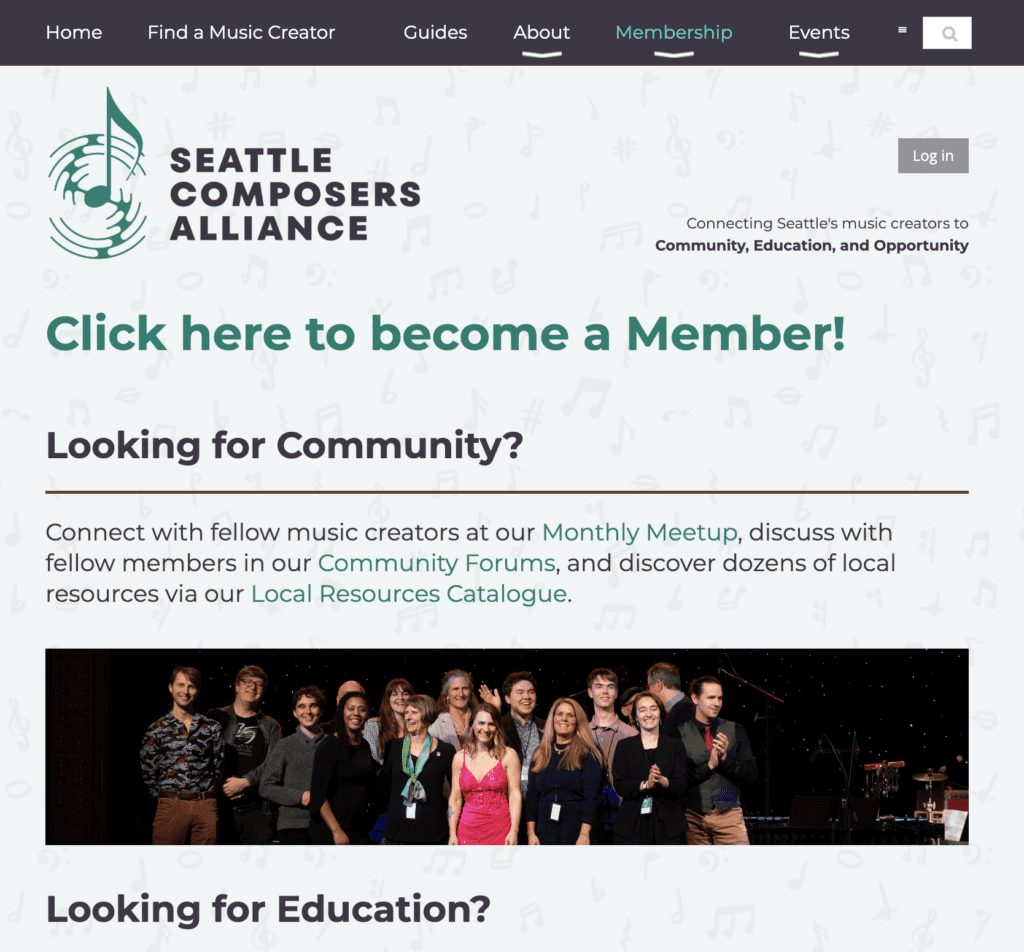
Take the Seattle Composers Alliance, for example. Their membership homepage immediately highlights their membership benefits with a clear call-to-action to join their organization. There’s no hunting, no scrolling, no guessing about what members receive. This clarity makes it easy for potential members to understand exactly what they’re getting.
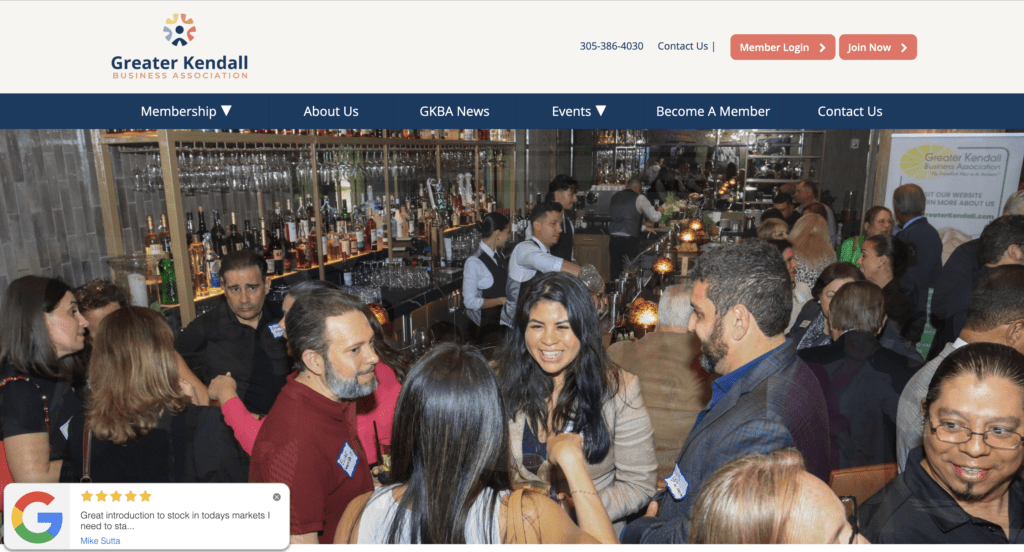
This also goes for social proof. Quotes and testimonials from satisfied members demonstrate the value of membership. For example, the Great Kendall Business Association site includes a pop-up in the bottom left corner of the homepage that rotates through recent positive Google reviews. If you scroll to the bottom of their homepage, they even have video testimonials called “see what our members are saying.”
Intuitive Navigation
Members (and prospective members) should be able to find what they need in three clicks or fewer. This means creating a logical, organized menu that maps to how members actually use your content. For more complex sites, search functionality is essential, allowing members to quickly find specific resources or information.
Clear labels, drop-down menus, and a simple logical hierarchy are all components of intuitive navigation. If members have to spend time thinking about where to find something, your navigation needs work. For example, Oscar has a well-organized dropdown menu that makes it easy for members to find what they need.
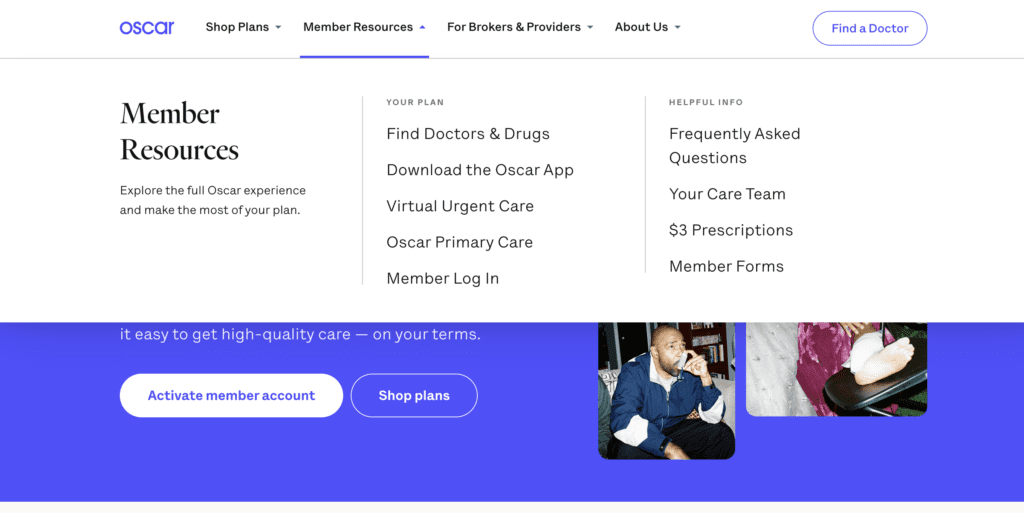
It also helps to have SSL security (your URL will start with HTTPS) so that it’s clear your members can trust your site.
Visual Design That Reflects Your Brand
Consistency in colors, typography, and imagery creates a professional but accessible aesthetic. The best membership website design isn’t overly complex or cluttered; it knows when to use white space effectively. Your visual design should immediately communicate your organization’s identity and values while remaining functional and easy to navigate.
Read more: Mission to Messaging: The 2025 Nonprofit Branding Playbook
Your membership site design should also comply with accessibility standards (WCAG 2.1 AA). This includes alt text for images and non-text content, ensuring full keyboard access, using high-contrast text, allowing content to resize up to 400%, and supporting both landscape/portrait orientations.
Mobile Optimization
Here’s a statistic that should reshape your design approach (if you haven’t already): 87% of nonprofit website visitors access websites via mobile devices. Responsive design isn’t optional—it’s the primary experience for the vast majority of your members.
This means touch-friendly buttons, forms that work well on small screens, and layouts that adapt seamlessly to different devices.
Helpful Member-Only Content
Gated content must provide real, exclusive value, not just content hidden behind a paywall for the sake of it.
Members need to feel that they’re getting their money’s worth with the exclusive content on your site. This could be in the form of blogs, online courses, an online community, recorded webinars, or industry reports. They’ll also expect regular updates to your member-only pages to maintain engagement.
Tip: Using a content calendar ensures members receive consistent value from your membership content.
For example, the League of Canadian Poets offers a members-only Facebook group that creates ongoing community value beyond static resources. This type of exclusive community access keeps members engaged and reinforces the value of membership.
Streamlined Registration and Onboarding
To get prospective members started, use simple application forms that ask only essential questions. You can gather additional information later once members are committed. Create a page that compares your membership tiers to make decision-making easier, with clear pricing and benefits for each level. The easier you make it to join, the more members you’ll attract.
Read more: A+ Membership Application Forms (with Template & Examples!)
Community-Building Features
Successful membership websites facilitate connections between members through searchable member directories, integrated event calendars, and discussion forums. These features transform your website into a dynamic community hub where members can remain engaged with your organization and one another.
Now, on to the examples!
25+ Membership Website Examples by Organization Type
Here are real membership websites from a few different types of organizations. Each example includes what makes it successful, and actionable takeaways you can apply to your own site.
Disclaimer: all the sites in this list were created with the WildApricot membership website builder. You can start a 60-day free trial of WildApricot here.
For more information, here’s how you can set up a membership website:
Read More: The Ultimate Guide on How to Build a Membership Site (No Tech Experience Required)
Club Membership Website Examples
Club membership websites typically have lots of large pictures of members enjoying club activities. They also have a large focus around events, lessons, and club rules. In this list I’ve included a number of social, boat, swim and other types of clubs to give you a feel for how clubs are setting up their membership websites.
1. Old Dominion Boat Club
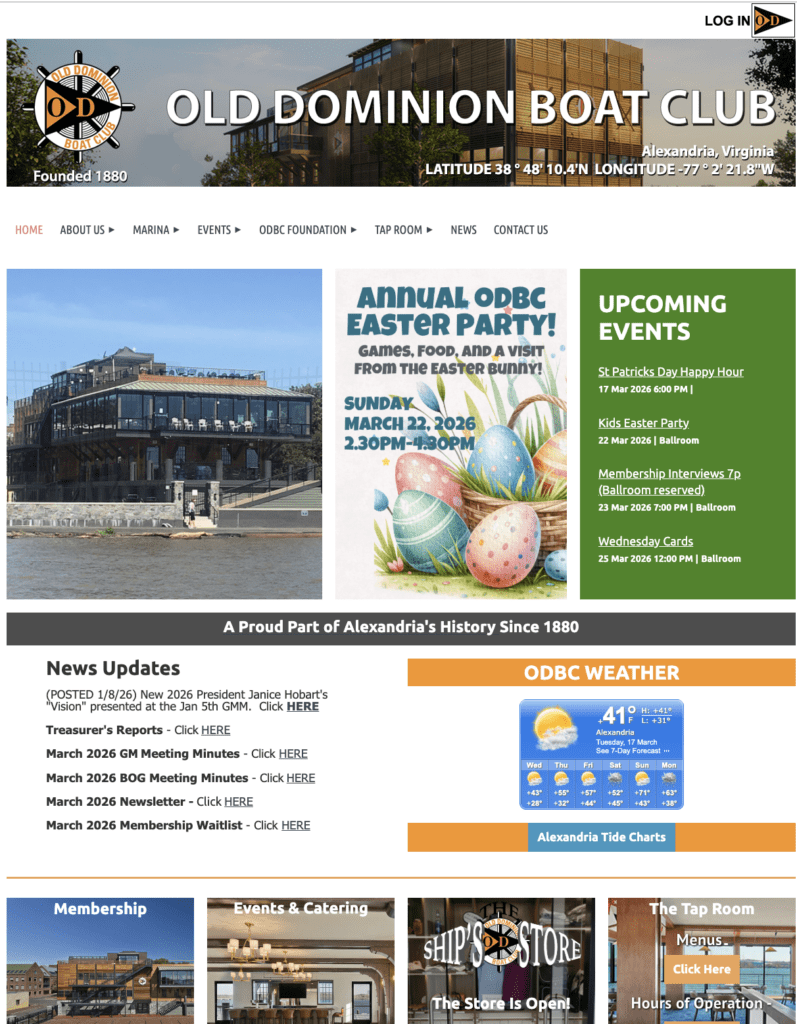
Key Features:
- Event calendar with registration
- Member application system
- Boat storage management
- Member photo galleries
- Historical archive section
What Makes It Work: Old Dominion Boat Club balances 145+ years of history with modern functionality. They boast prominently displaying event info, and the membership application process clearly explains different categories and requirements.
Takeaway Tip: Balance your organization’s heritage with modern functionality. History adds credibility, but current activities drive engagement.
2. Propeller Club Port Norfolk
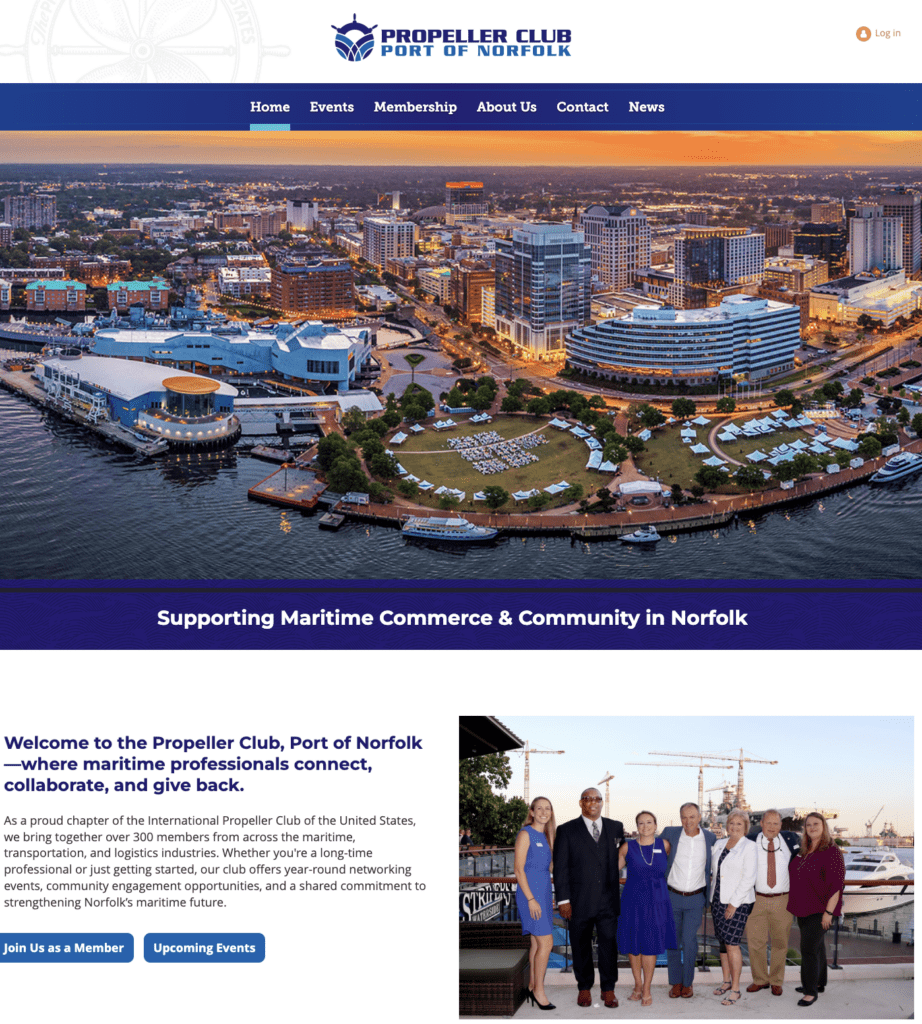
Key Features:
- Clear navigation in the top bar
- Events calendar
- Call-to-action buttons for joining
- Photos showcasing members and activities
- Newsfeed with content on the club
What Makes It Work: The Propeller Club, Port of Norfolk showcases membership combined with community. They regularly update their newsfeed, keeping members up to date on all their activities. With great use of white space and imagery, their website is user-friendly and visually appealing.
Takeaway Tip: Keep consistent branding across your entire membership site. Their use of blue and white matches their logo, imagery, and CTAs throughout the webpages.
3. Bicycling in Greensboro
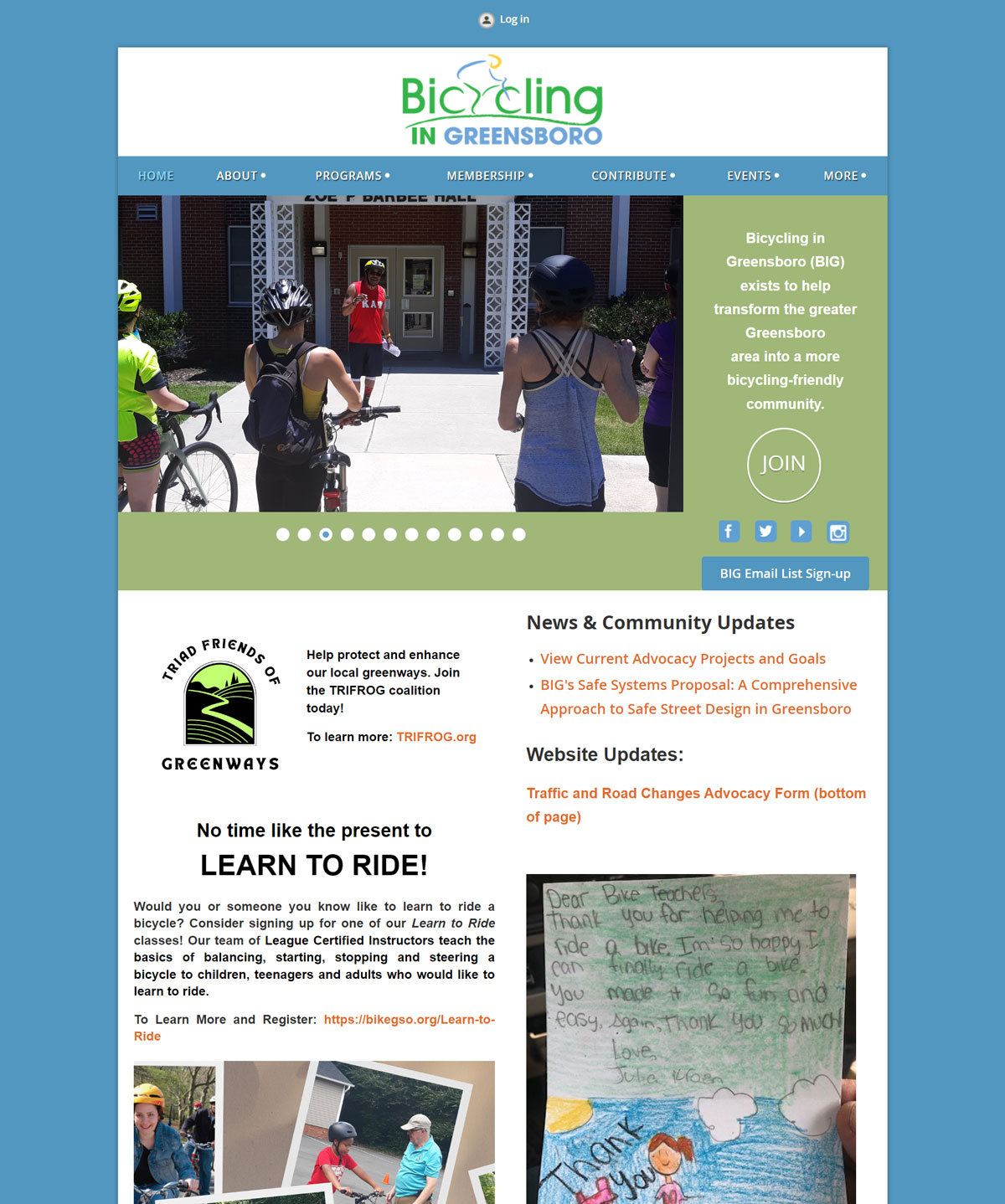
Key Features:
- Ride calendar with difficulty ratings
- Advocacy tracking
- Member benefits marketplace
- Safety resources
What Makes It Work: Successfully serves both advocacy-focused and recreation-focused members through clear pathways for each audience. The benefits marketplace adds tangible value.
Takeaway Tip: If your organization serves multiple member interests, create clear pathways for each audience.
4. Wailers Ski, Snowboard, and Social Club

Key Features:
- Upcoming events calendar
- Charity impact stories with photo galleries
- Membership benefits with a timeline for applications
- An abundance of photos from membership events
What Makes It Work: Impactful stories and trip information give website visitors everything they need to know about the Wailers. Their use of graphics and colors draws the eye in and highlights the club’s zest for life and winter sports.
Takeaway Tip: Adding personality to your membership site helps potential members get a sense of the organization’s culture and how they might fit in.
5. Comox Valley Tennis Club
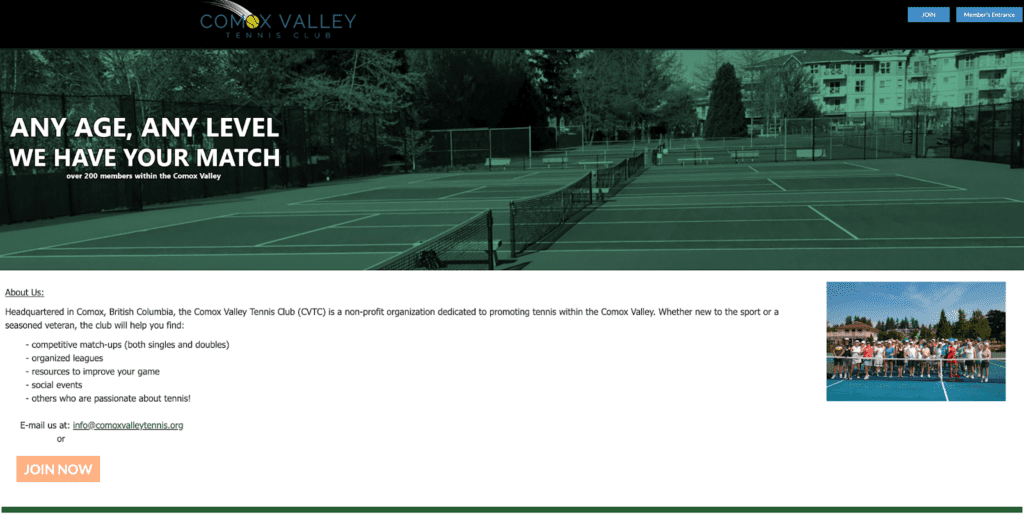
Key Features:
- Court booking system
- League registration
- Member directory with photos
- News updates
- Policy documents
What Makes It Work: Court booking integration eliminates phone calls and emails. Regular news updates and the photo directory strengthen community connection.
Takeaway Tip: Build features around your members’ most common needs.
6. Webb Mountain Discovery Zone
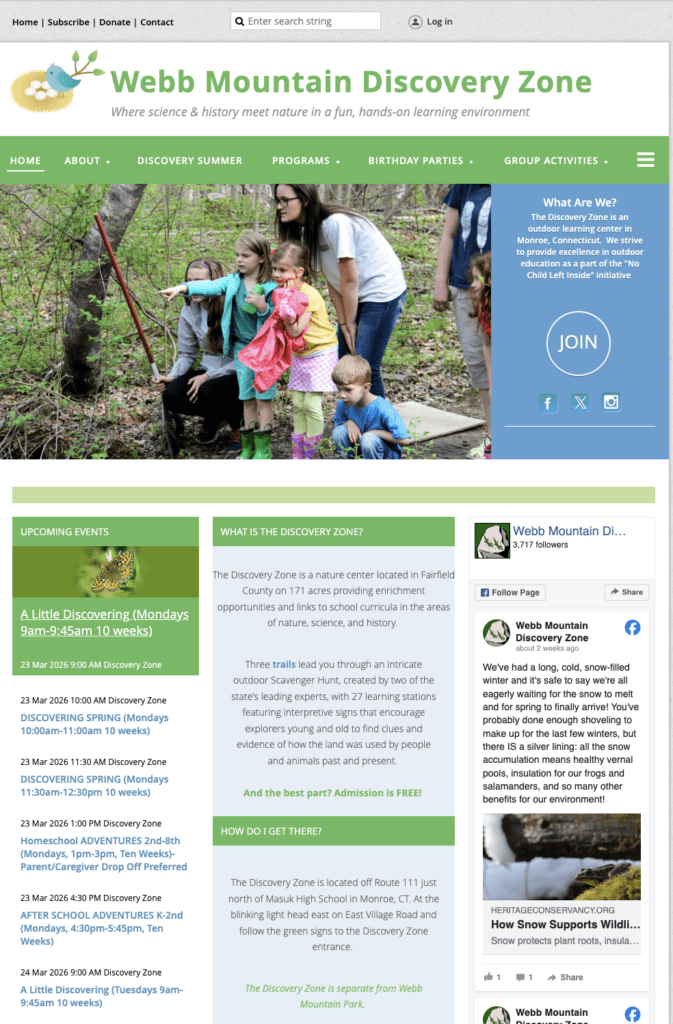
Key Features:
- Program registration
- Photo galleries
- Volunteer signup
- Donation processing
- Social media integration
What Makes It Work: Compelling images of children engaged in outdoor learning immediately communicate their mission. Streamlined registration suits busy parents.
Takeaway Tip: Use high-quality images that show your organization in action.
Association Membership Website Examples
Association websites focus more on creating networking opportunities and educational resources for industry professionals. They do this through networking events, member directories, and member-only resources like courses and reports.
7. Wayne County Chamber of Commerce
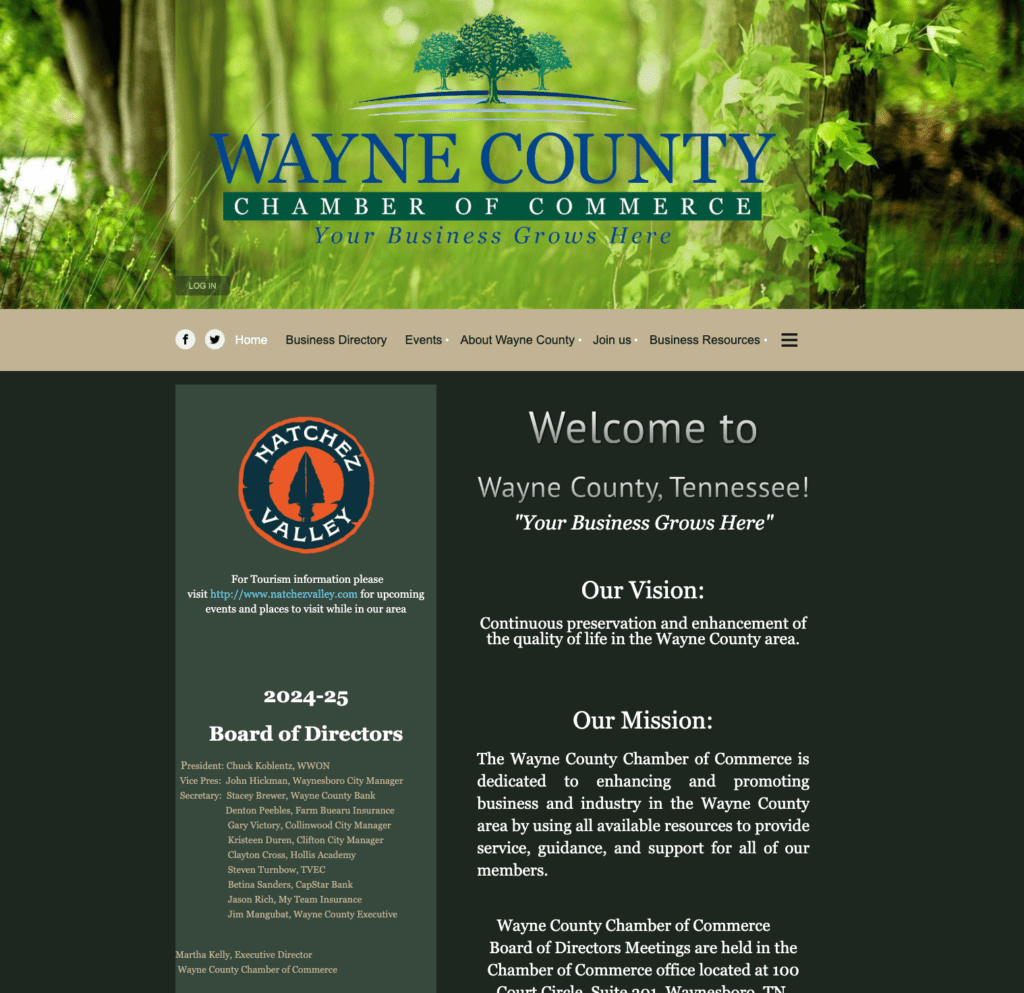
Key Features:
- Searchable business directory
- Event registration
- Member-to-member deals
- Ribbon cutting gallery
What Makes It Work: The member-to-member deals section creates additional value by facilitating cross-promotion among members.
Takeaway Tip: Create features that facilitate member-to-member value exchange.
8. ATV Association of Nova Scotia
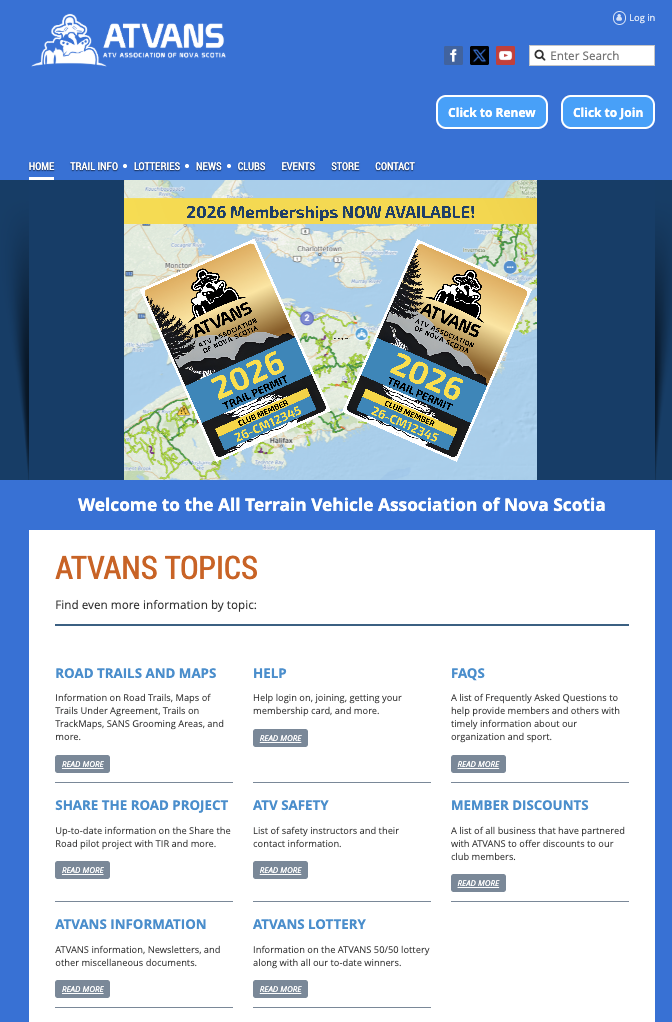
Key Features:
- Clear CTAs for member login or renewal
- Extensive resource library
- YouTube integration for embedded videos
- Photo gallary highlighting member achievements
What Makes It Work: Members can access exactly what they need right on the website’s homepage. From organization updates to important resources. Plus, with clear call-to-action buttons, user navigation is simple.
Takeaway Tip: Make sure all your most important information is easily accessible to members via CTAs.
9. Washington State Massage Therapy Association
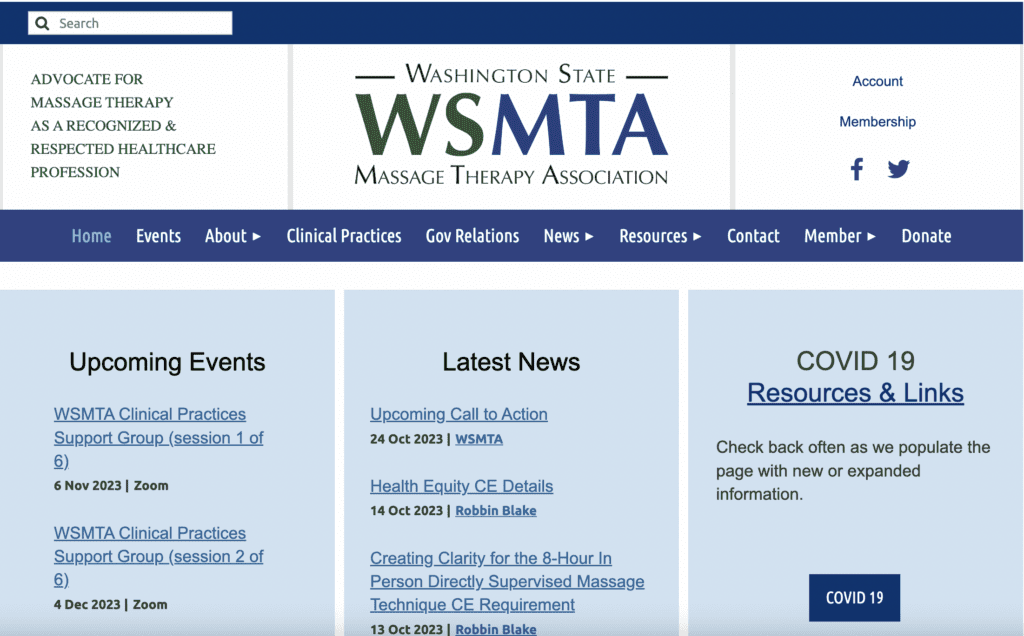
Key Features:
- CE credit information
- Upcoming events calendar
- Resource section with industry updates and meeting notes
- Volunteer information and opportunities
- Donation button and simple form
What Makes It Work: A wide array of resources and upcoming events help members of the Washington State Massage Therapy Association stay up to date with their industry. Website navigation is easy with a clear menu bar and dropdown tabs.
Takeaway Tip: For professional associations, displaying industry updates and upcoming CE opportunities should be central to your site design.
10. Twin Cities American Guild of Organists
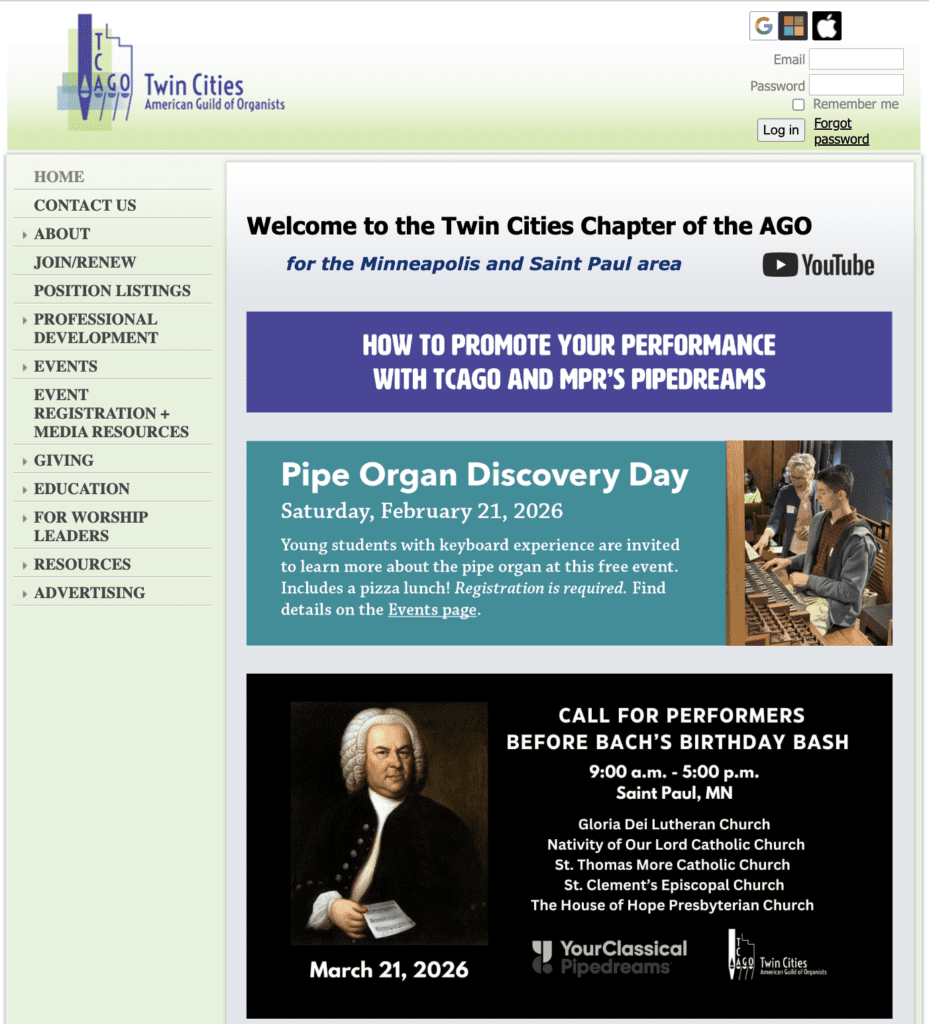
Key Features:
- Membership login in the top bar
- Side bar navigation menu with dropdown tabs
- Professional development opportunities and contacts
- Upcoming events and registration links
- Educational opportunities and resources
What Makes It Work: Organizations looking to make networking connections will find a home in the Twin Cities chapter of the AGO. They highlight contact information of others in the industry and a vast library of educational resources.
Takeaway Tip: Create opportunities for your members to develop themselves professionally through resources, job openings, and networking connections.
11. Alabama Psychological Association
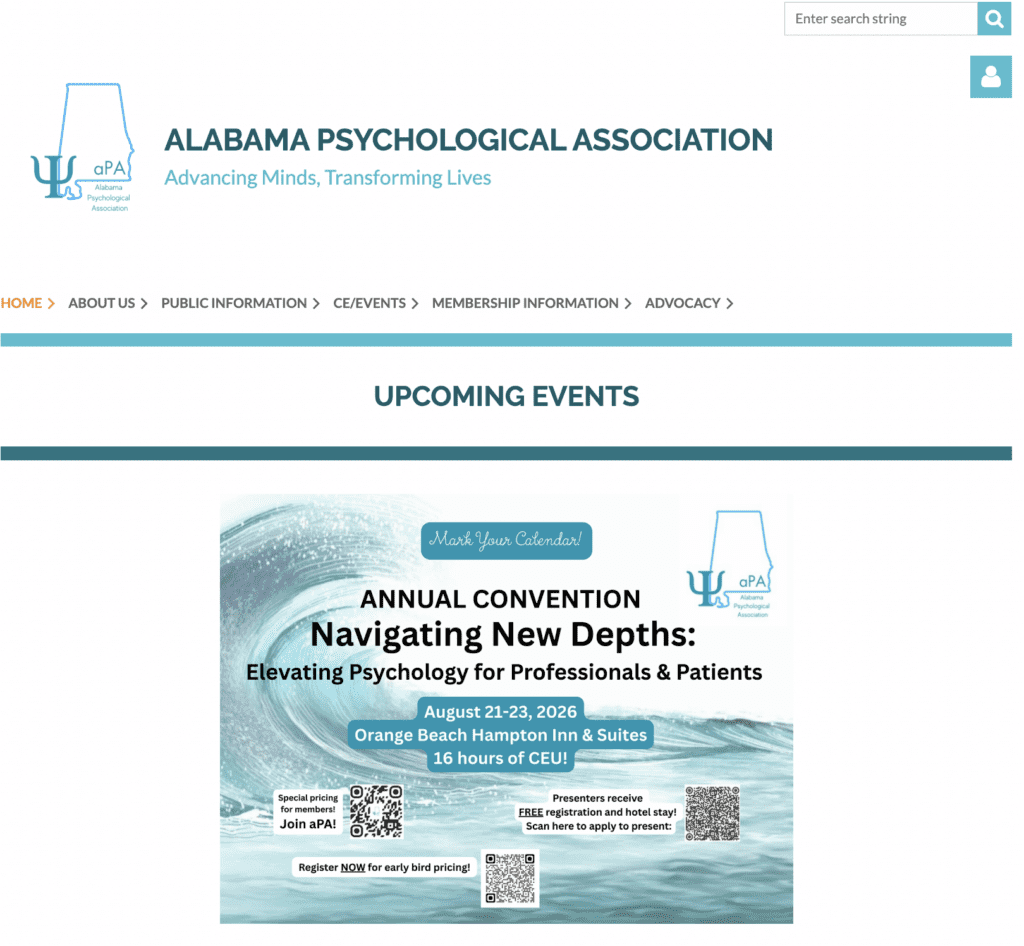
Key Features:
- CE credit tracking
- Advocacy resources
- Social media integrations
- Job board
- Conference registration
What Makes It Work: Continuing education is crucial for members needing certification credits. A job board, registration for upcoming conventions, and continuing education programs provide genuine member value that justifies dues.
Takeaway Tip: Offering continuing education courses right on your website’s homepage is vital for organizations with members looking to develop professionally.
Nonprofit Membership Website Examples
Nonprofit membership websites typically focus around a cause, with the organization’s mission right on the home page. Other types of membership websites, like chambers of commerce, focus on promoting the organization’s services and connecting like-minded individuals.
12. Connecting For Kids
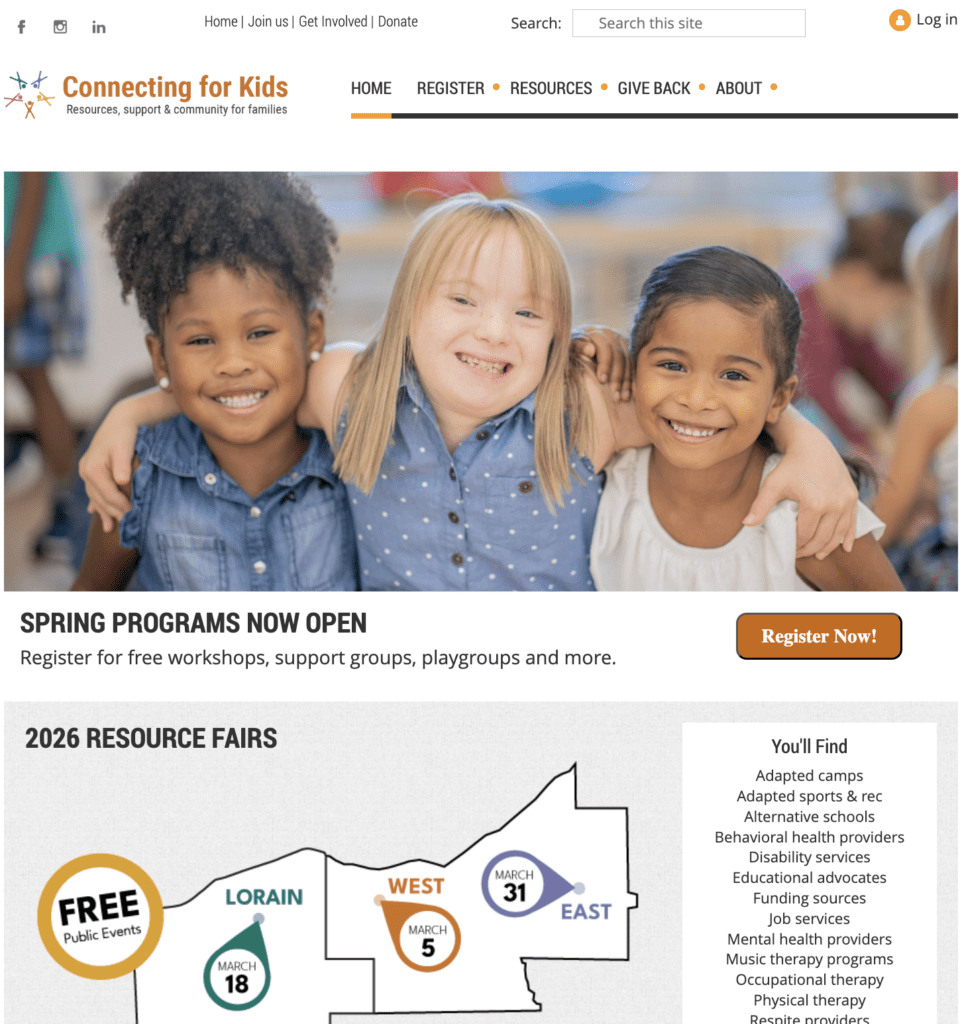
Key Features:
- Online directory to connect families
- Donation processing
- Geographic resource fairs
- Community programs
- How-tos and resource guides
What Makes It Work: Connecting for Kids’ mission is to educate and support families of children with mental or physical disabilities. Their website makes it easy to gain information, connect with others, and sign up for events.
Takeaway Tip: Offering an abundance of resources – whether they are online guides or access to upcoming events allows members to engage with your organization in a way that works for them.
13. Red White and Blue Outdoors
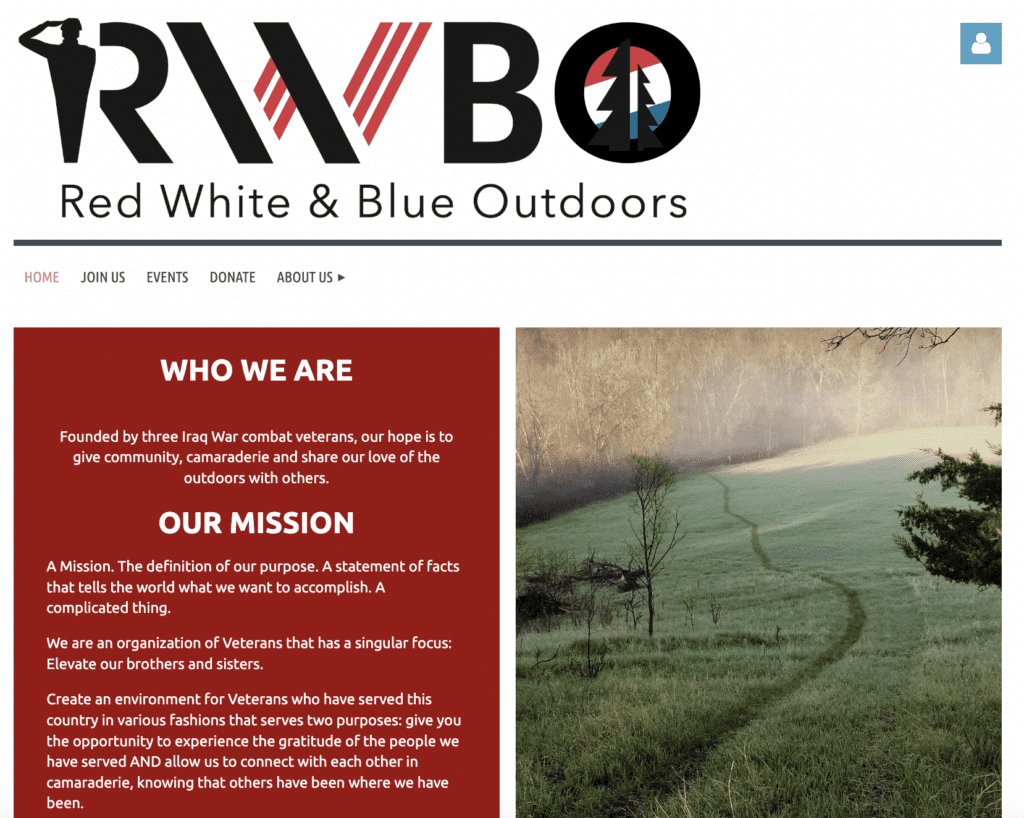
Key Features:
- Email integration
- Newsletter sign-up form
- Upcoming events calendar and registration
- Donation processing
- Free membership
What Makes It Work: A clear message about their mission of connecting veterans with the outdoors. RWBO shares photo galleries of their members’ experiences, highlighting the impact of their work.
Takeaway Tip: Give members multiple ways to engage beyond donations.
14. Single Parent Provision
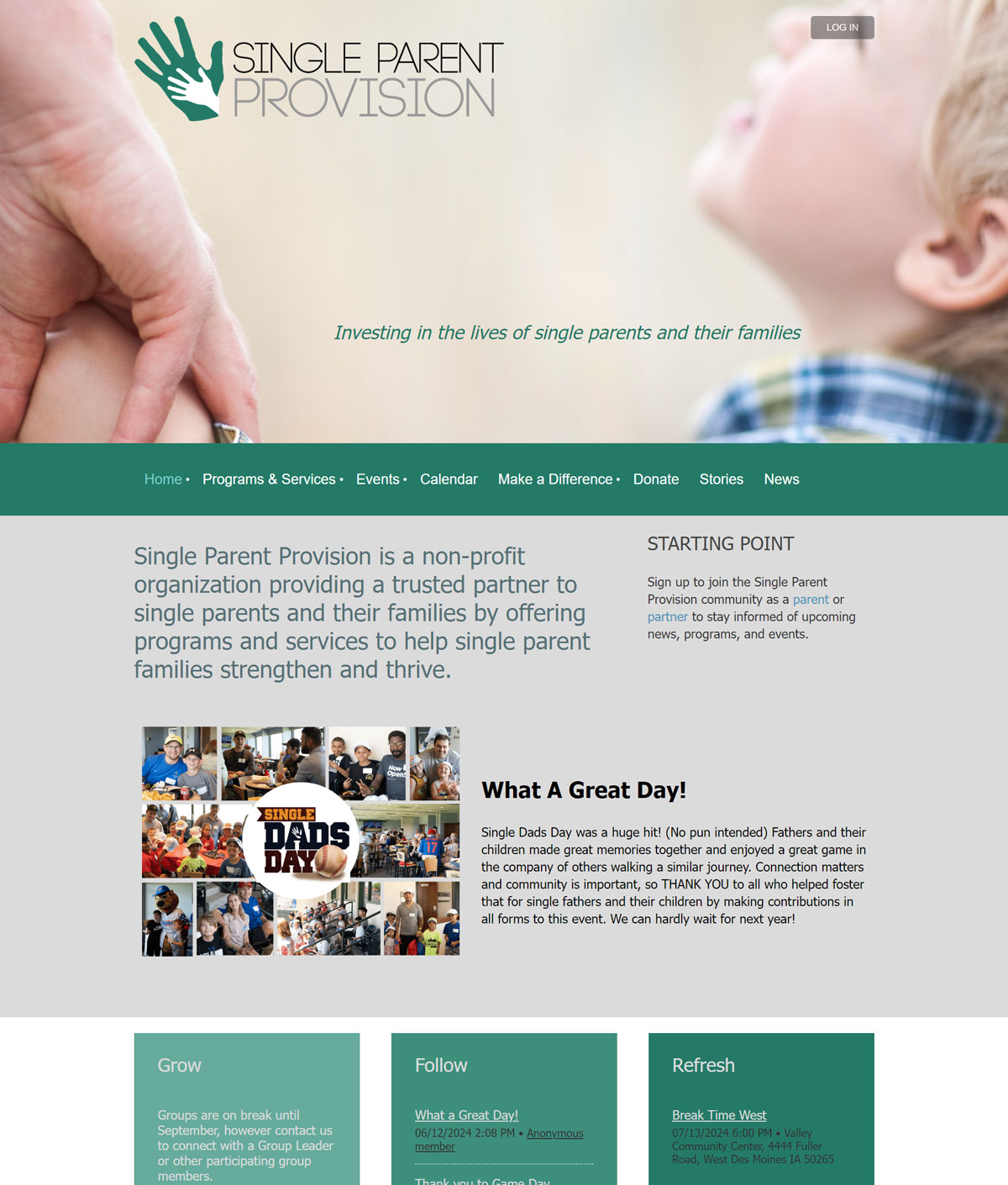
Key Features:
- Impact stories
- Community groups and workshops
- Volunteer opportunities
- Donation processing
- Events calendar and online registration
What Makes It Work: Impact stories show tangible results of member support. Creating groups for different member types, in this case, single moms and single dads, enables members to create a stronger community within your nonprofit.
Takeaway Tip: Demonstrating measurable impact reinforces the value of membership and encourages retention.
15. TABLEWAR Charities
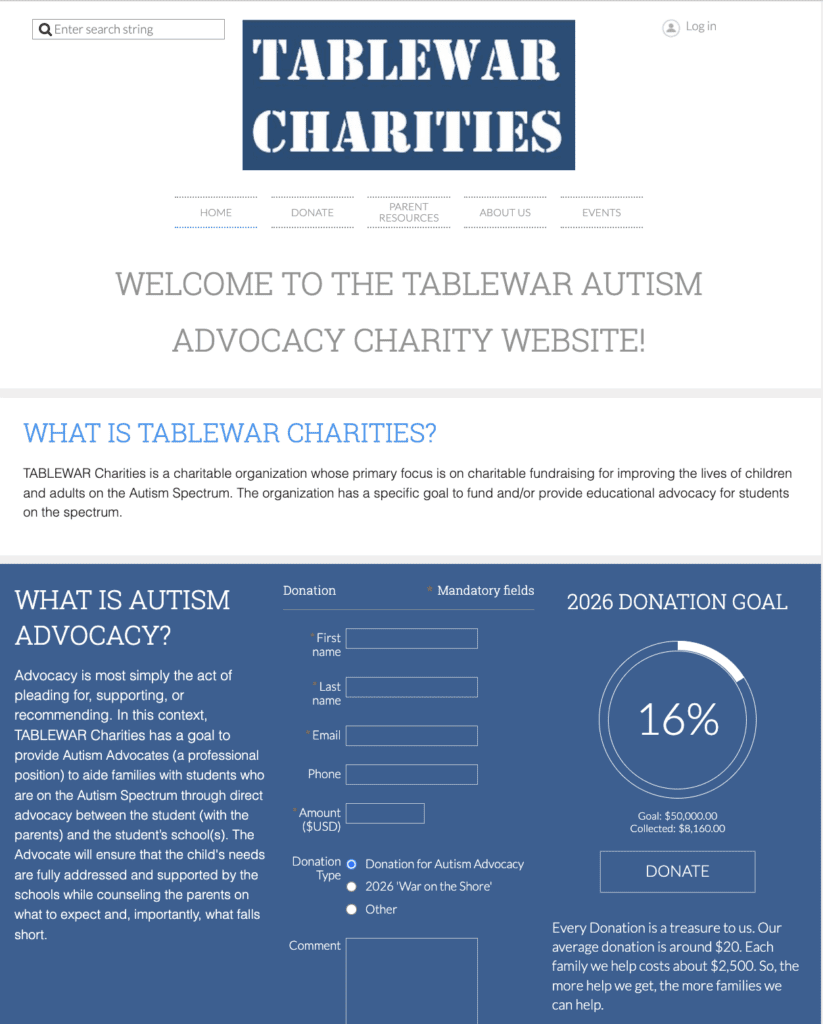
Key Features:
- Donation progress bar and donate form
- User-friendly navigation bar
- Resources related to their mission
- Facebook page widget embed
- Search bar and member login
What Makes It Work: A progress bar for their donation goal encourages supporters to help and donate to TABLEWAR’s mission. Having this form prominently on the homepage makes it easy for webpage visitors to donate and see exactly how their dollars help.
Takeaway Tip: If your goal is fundraising, make your donation form a main feature on the homepage with information on where the donation goes.
10 Additional Membership Website Examples for Associations
These examples aren’t made with WildApricot software, but they can give you other ideas for a strong membership website for associations.
15. National Association of REALTORS®
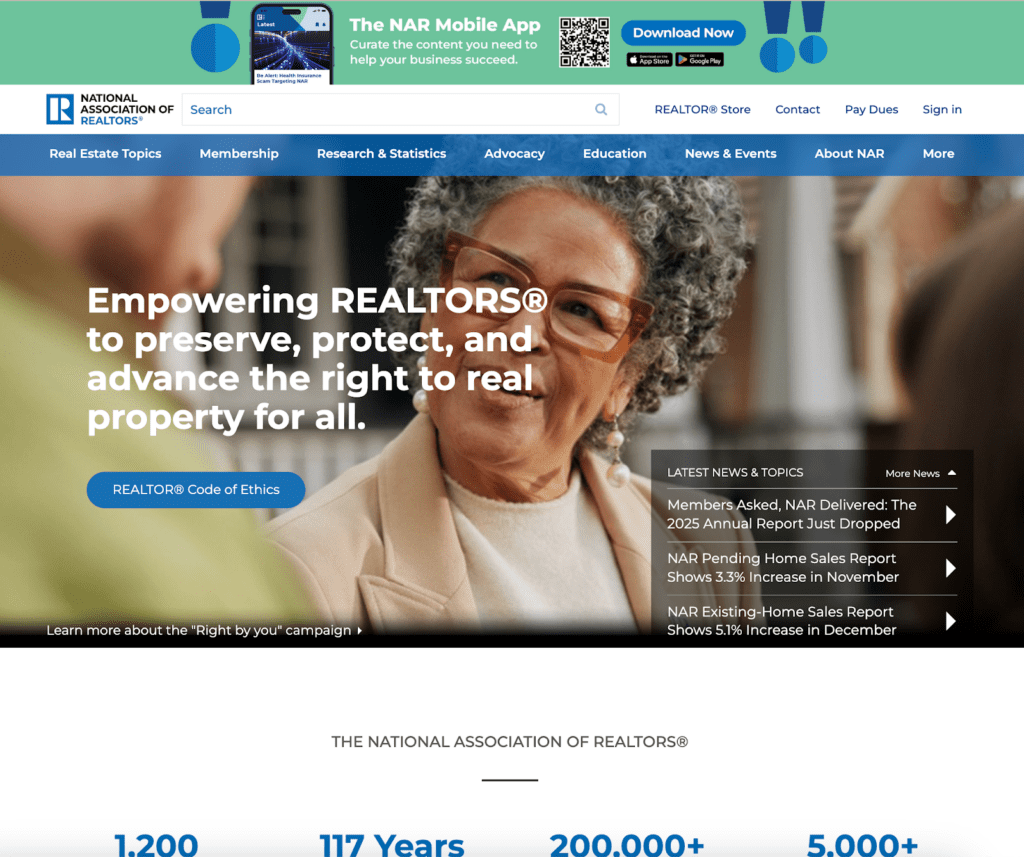
What Makes It Work: Provides a market statistics dashboard and a legal forms database that save members more money than membership costs – a clear ROI model for trade associations.
16. American Bar Association
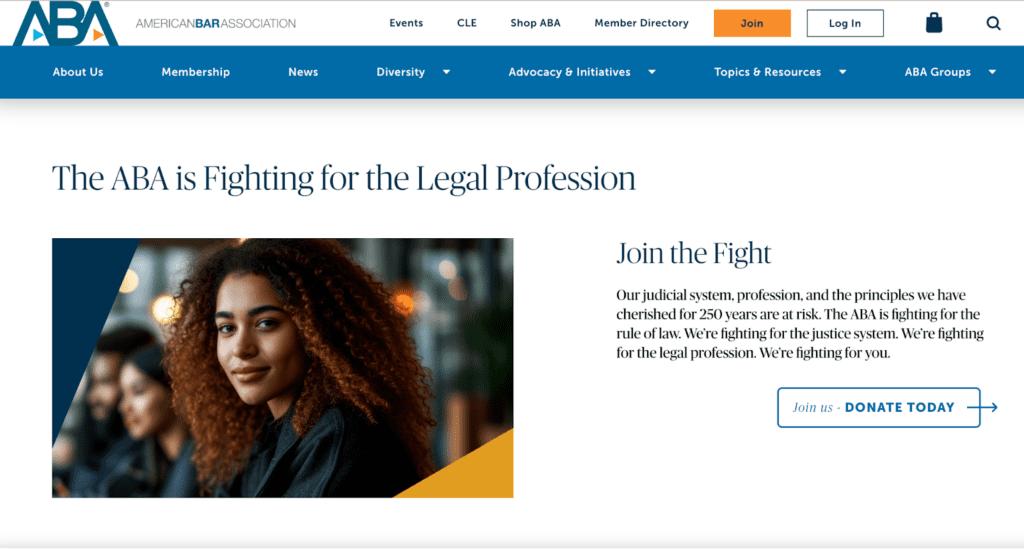
What Makes It Work: Demonstrates career-stage pricing ($75-$450) and specialty sections that create focused communities within a 400,000+ member organization.
17. American Society of Association Executives

What Makes It Work: Practices what it preaches with CAE certification, proprietary research, and an online community that exemplifies excellent association management.
18. Toastmasters International

What Makes It Work: Excels at serving 270,000+ members through robust club finder and gamified Pathways learning experience with progress tracking and digital badges.
19. Rotary International
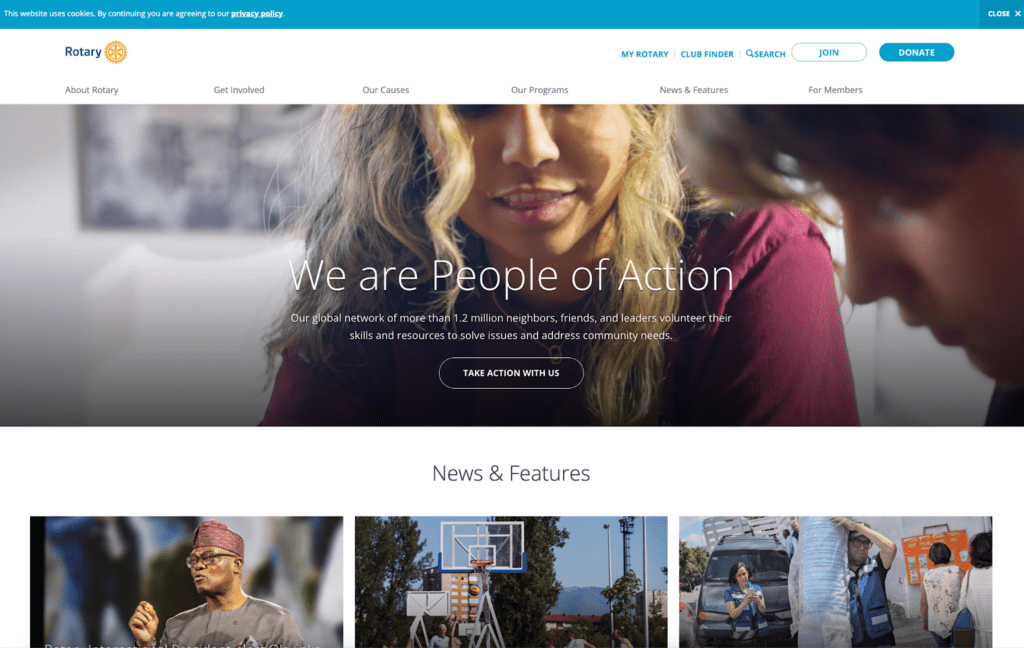
What Makes It Work: Connects local club participation with global service projects through an integrated project database and grant applications serving 1.4M+ members worldwide.
20. American Chemical Society
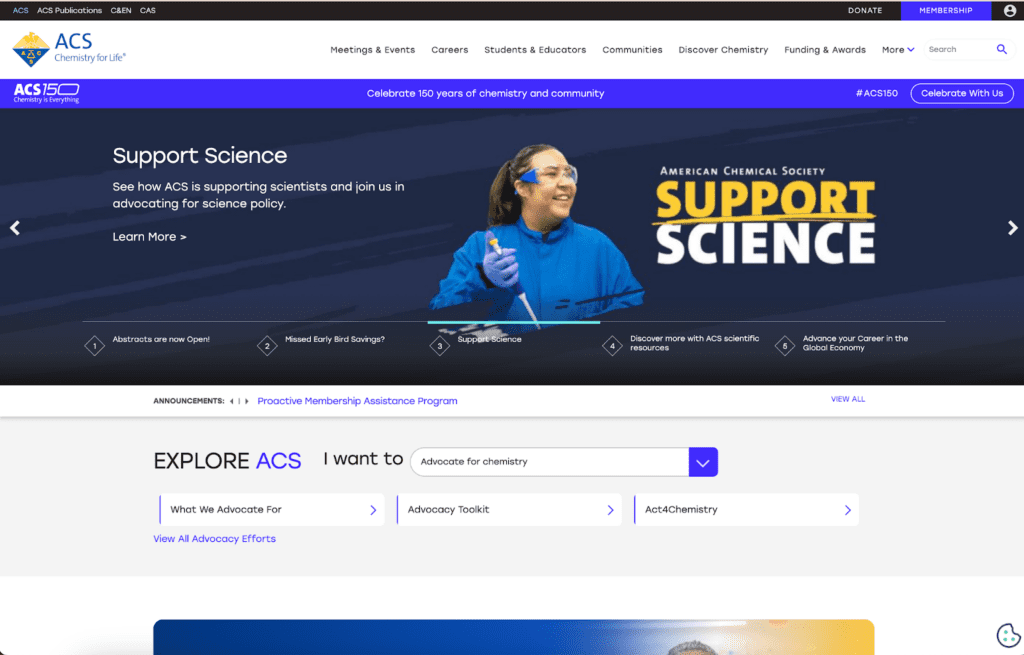
What Makes It Work: Organizes 150,000+ members both by chemistry specialty (technical divisions) and geography (local sections) to serve different networking needs.
21. National Association for the Education of Young Children
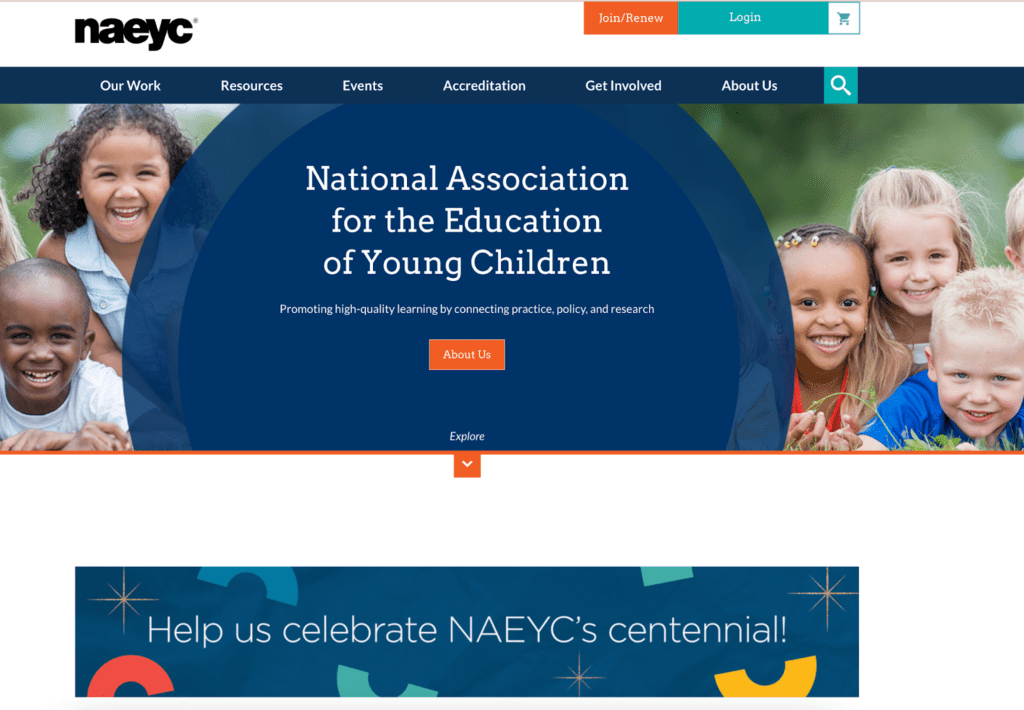
What Makes It Work: Serves two distinct audiences—individual educators and accredited programs—with separate pathways and resources for each type of member.
22. Urban Land Institute
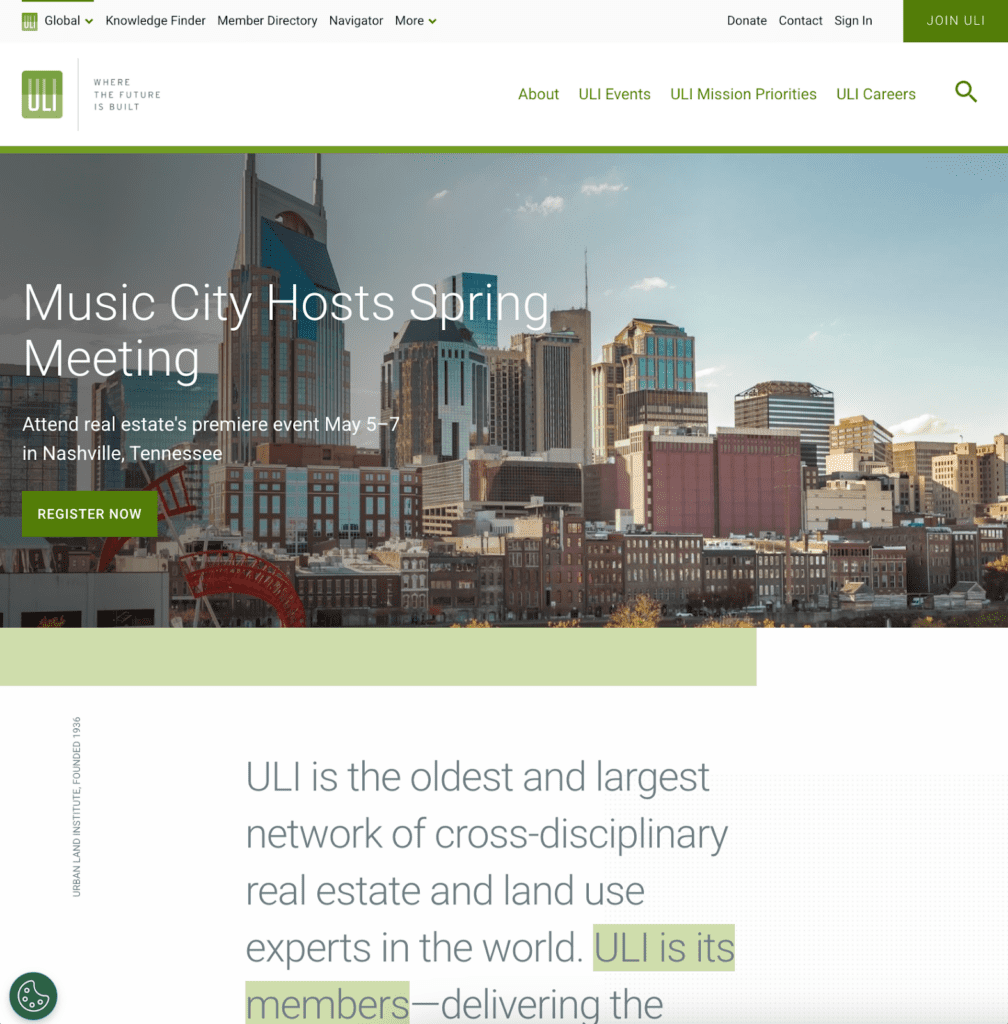
What Makes It Work: Justifies premium dues ($500-$1,435) through detailed development case studies and proprietary research that members can’t find elsewhere.
23. Association for Computing Machinery
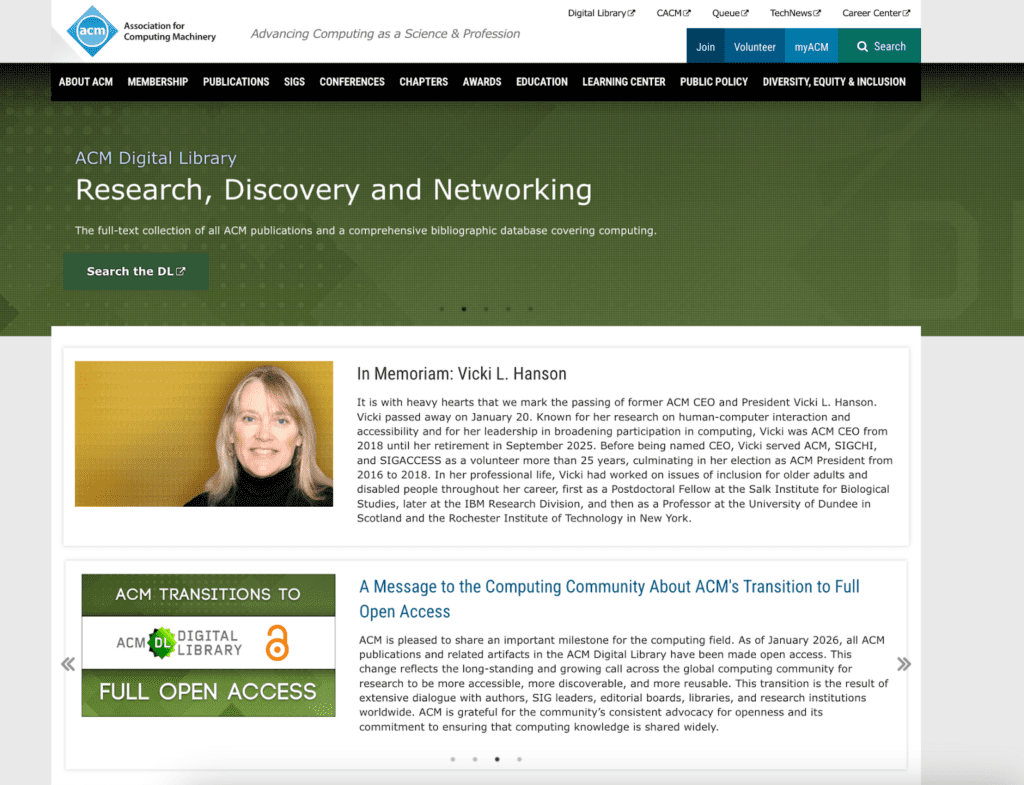
What Makes It Work: Uses special interest groups (SIGs) for specific technologies to create meaningful connections in a field too broad for general networking.
24. American Marketing Association
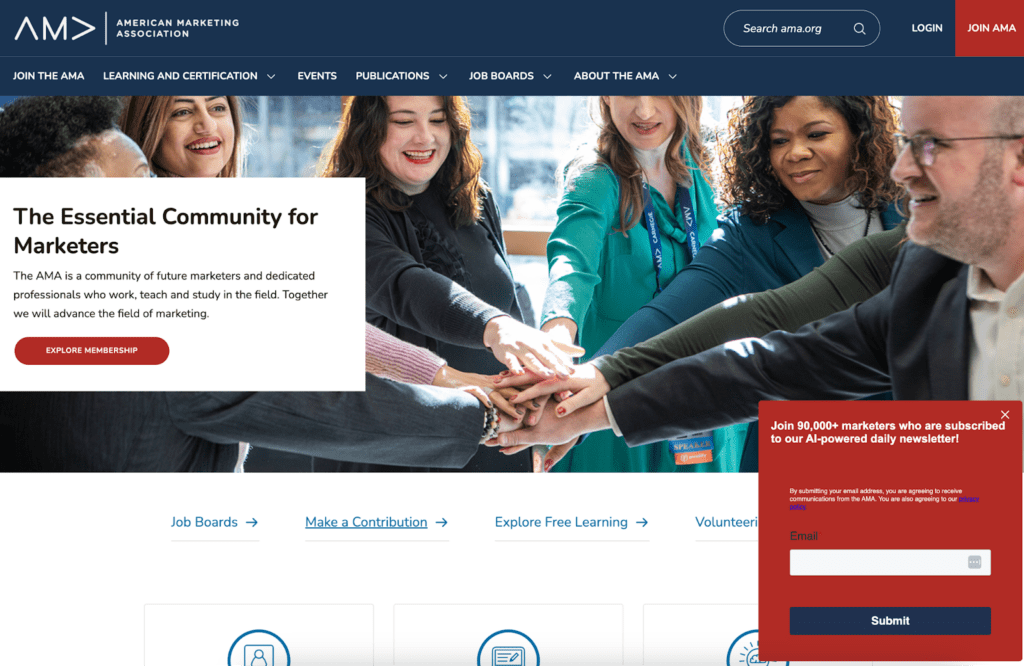
What Makes It Work: Credentials an uncredentialed profession through Professional Certified Marketer (PCM) program while providing research and tools that bridge academia and practice.
25. Society for Human Resource Management
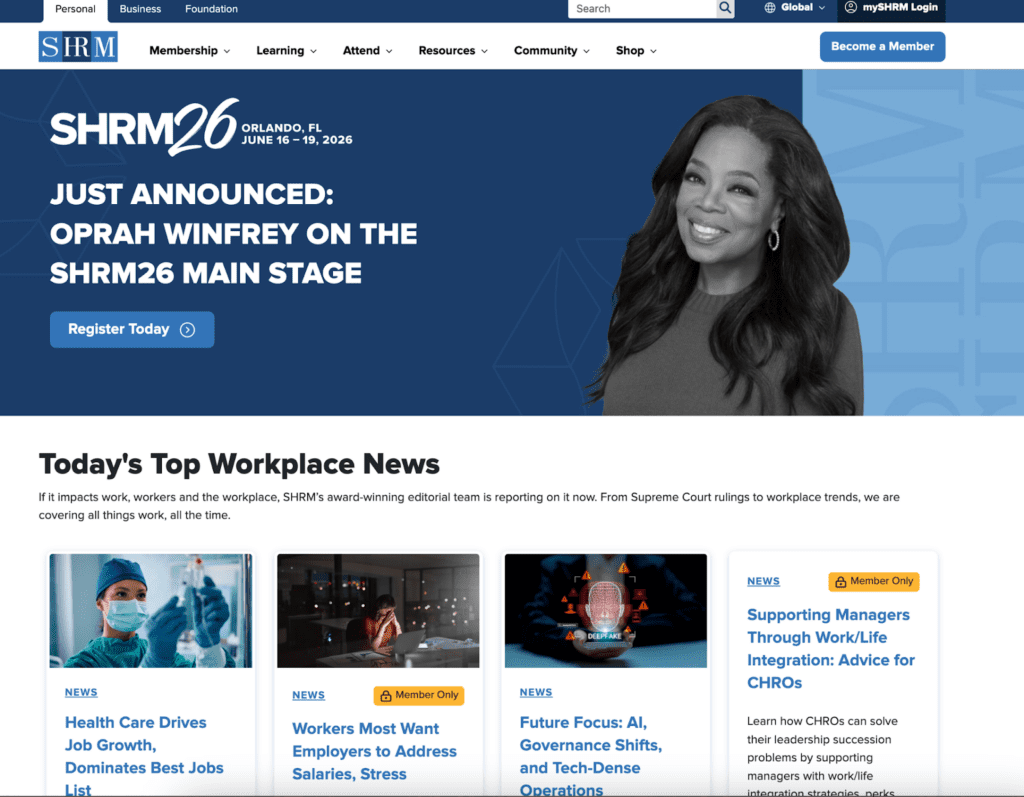
What Makes It Work: Makes compliance tools central to value for 325,000+ HR professionals who need state-specific employment law guidance and attorney-reviewed templates.
Each of these membership website examples boasts specific strengths worth studying (depending on your organization’s needs and member demographics). You can also explore more examples in WildApricot’s example sites gallery to help you get started.
11 Membership Website Best Practices
We’ve analyzed hundreds of membership websites, and have identified the best practices that consistently separate thriving sites from struggling ones. Clarifying and comparing your membership tiers; adding a “Join Us” page that includes all the info a prospective member needs to make a decision; and ensuring every page on your site has a clear call to action are all factors that can help your site be successful. Keep reading for more detail, as well as other concrete takeaways you can implement on your membership site right away,
1. Put Your Most Valuable Benefit Front and Center
Identify your single most compelling member benefit and feature it prominently on your homepage. Pacific Group Golf’s prominent display of their USGA Handicap benefit demonstrates this principle perfectly. This kind of clarity reduces friction when prospective members decide whether they want to join your organization.
This applies to your member-only content as well. For example, instead of making vague promises about a great industry resource like “Access resources,” specify “Download 50+ industry templates,” or “Join 500+ professionals in our directory.” Concrete benefits help prospective members visualize the value they’ll receive and justify the membership cost.
2. Make Membership Tiers Crystal Clear
Use comparison tables that display the benefits, pricing, and any restrictions for each tier side by side. Visual hierarchy guides members toward the tier you want them to choose (typically your most popular option). Include specific benefits, not just generic statements like “additional resources.” Learn more about setting up effective membership pricing.
3. Showcase Member Success Stories
Social proof builds trust and demonstrates value more effectively than any marketing copy you could write. Include photos and quotes from real members, and link to full case studies when possible. For particularly powerful social proof, publish member testimonials showing specific outcomes (i.e., “I learned skills through ABC Co. that helped me increase business 150%”)..
4. Create a Dedicated “Join Us” Page
Don’t bury your membership signup page in your navigation. Create a prominent, dedicated page that includes a benefits checklist, clear pricing, the application form, and frequently asked questions. Make joining as easy as possible with as few clicks as possible.
5. Use High-Quality, Relevant Images
Show real members, real events, and real activities—not stock photos. Event photos build community feeling and give prospective members a sense of what membership actually looks like. And brand-consistent imagery reinforces your organization’s identity across all pages.
6. Implement a Searchable Member Directory
Networking is consistently one of the top reasons people join organizations. Make it easy for members to find each other through search and filter options. Include privacy controls so members can choose what information to share. Consider filters for location, industry, expertise, or interests.
7. Feature an Active Event Calendar
Display upcoming events on your homepage, not buried in navigation. Provide easy registration integration so members can sign up without multiple clicks or external systems. Share past event photos and recaps to demonstrate the value of attendance and encourage future participation.
8. Provide Members-Only Content That Actually Matters
Don’t gate content just for the sake of having something members-only. Provide truly helpful content like industry resources, educational materials, exclusive webinars, and member forums that deliver genuine value. If members don’t regularly access your members-only section, you’re not providing enough value there.
9. Optimize for Mobile Users
Because mobile traffic represents the majority of visitors to membership sites, responsive design is essential. Test forms on actual mobile devices—they’re often the sticking point. Ensure buttons are large enough for touch interaction, and navigation works well on small screens.
10. Include Clear Calls-to-Action on Every Page
Every page should have a clear next step, whether that’s “Join Now,” “Renew Membership,” “Register for Event,” or “Contact Us.” Multiple pathways to conversion mean more opportunities to engage visitors at different stages of their decision-making process.
11. Make It Easy to Contact You
Display phone numbers, email addresses, and contact forms prominently. Include a staff directory for larger organizations so members can reach the right person directly. To ensure visitor satisfaction, ensure you set clear expectations for response times. Also consider incorporating live chat on your site, if possible.
How to Create Your Own Membership Website
Creating a successful membership website doesn’t require technical expertise or a massive budget. We’ve included a brief summary of all the steps below, but check out our membership website builder software guide for a comprehensive, detailed overview to planning, building, and launching your website in weeks, not months.
Step 1: Define Your Membership Model
Before building anything, clarify what you’re offering and how you’ll structure membership. Determine your membership tiers (most organizations have 2-4 levels), decide on benefits for each tier, and set pricing that covers costs while remaining accessible.
Step 2: Choose Your Platform
When evaluating platforms, consider how to build a membership site that scales with your organization rather than holding you back. Look for integrated membership management software that includes website building, member database, payment processing, email communications, and event registration — all in one system.
Step 3: Select and Customize a Membership Site Template
Start with a professionally designed template that aligns with your organization type, then customize colors, fonts, and imagery to reflect your brand. This approach saves weeks compared to starting from scratch while ensuring a professional result.
Step 4: Structure Your Site
Every membership website needs certain core pages: a homepage with a clear value proposition, an About Us page explaining your mission and team, a membership levels page with detailed benefits and pricing, a members-only area for gated content, an events page with registration capabilities, and a contact page with multiple communication options.
Structure your navigation to reflect how members actually think about your content. Use analytics to identify your most-visited pages and ensure they’re easy to find.
Step 5: Create Member-Only Content
Prepare at least 3-5 pieces of member-only content before launching. This might include educational resources like guides and templates, a member directory for networking, exclusive webinars or videos, or a private forum for community discussion. The content doesn’t need to be perfect at launch, but it must be valuable enough that members feel good about paying for access.
Step 6: Set Up Payment Processing
Connect your payment gateway (Stripe, PayPal, or similar), configure membership pricing with exact amounts and billing frequencies, and set up automated recurring billing so members don’t need to manually renew. Test the checkout process thoroughly as a member would experience it—verify that confirmation emails arrive correctly and that access is granted immediately after payment.
Step 7: Configure Member Features
Set up online application forms that ask only essential questions, create automated welcome emails that guide new members through first steps, configure member directory privacy settings, establish event registration workflows, and set up email communication templates for common scenarios.
Step 8: Test Everything
Before launching, run through the complete registration process as if you’re a brand-new member. Test payment processing with small transactions, verify that member-only content restrictions work correctly, check that the site displays properly on mobile devices, and ensure all email notifications deploy correctly.
Step 9: Launch and Promote
Once testing confirms everything works smoothly, now it’s time to tell the world! Promote your new membership website through email announcements to current members, social media posts highlighting new features, an update on your organization’s website, and in-person announcements at events.
Frequently Asked Questions
What’s the difference between a membership website and a regular website?
Membership websites include password-protected member areas, member databases with profiles, automated renewal reminders, exclusive gated content, member-only features such as directories and forums, and payment processing for membership fees. Regular websites are fully public with no gated content or member management functionality.
How much does it cost to build a membership website?
Costs vary significantly by approach:
DIY with WildApricot: Starting at $56.10/month, which includes 100 contacts, a membership website builder, membership management, events, payments, and email—all integrated with no setup fees. You can start your 60-day free trial whenever you’re ready to build your site!
Custom Development: $5,000-$50,000+ one-time development cost, plus ongoing hosting and maintenance fees, with updates and changes requiring developer involvement.
Can I see what a membership website looks like before joining one?
Yes! Visit any of the 25+ above live examples in this article to see public-facing pages. The gated member-only sections won’t be visible without logging in, but you can contact organizations directly for demo access, trial membership, staff-led screenshot walkthroughs, or virtual tours.
What features are absolutely essential for my membership website?
Based on successful examples, must-haves include:
- Member application/signup forms
- Secure payment processing
- Members-only content areas
- Event registration
- Member directory
- Email communication tools
Important but not critical features include discussion forums, resource libraries, continuing education credit tracking (for professional associations), and chapter management tools.
How long does it take to build a membership website?
With WildApricot, expect 3-4 weeks from start to launch:
- Week 1 for planning and setup
- Week 2 for design customization
- Week 3 for content creation
- Week 4 for testing and launch
- Custom development typically takes 3-6 months or longer, depending on complexity and developer availability.
Do I need coding or technical skills to build a membership website?
No coding is required with WildApricot. The platform offers drag-and-drop content editing, pre-built templates, point-and-click customization, visual design tools, and automated technical infrastructure.
How do I get members to actually use my website after they join?
Successful sites follow these strategies:
- Provide genuine value: Exclusive content worth the membership price, an active event calendar, regular updates and fresh content, a useful member directory, and easy-to-find resources.
- Promote engagement: Regular emails highlighting new content, featured member success stories, contests or challenges, discussion opportunities, and mobile app access for on-the-go use.
- Optimize experience: Fast loading times, mobile-friendly design, intuitive navigation, and quick login process.
Can I customize the example designs I see here?
Absolutely! WildApricot templates are fully customizable—change colors to match your brand, upload your logo, modify fonts and typography, rearrange page layouts, add or remove sections, and customize navigation menus. The examples show different customization approaches; you’re not limited to copying them exactly.
Start Your Membership Website Today
You don’t need custom development, coding skills, or massive budgets to create a professional, effective membership website.
WildApricot includes:
- Professional website templates (no coding required)
- Membership database management
- Event registration and ticketing
- Automated payment processing
- Email marketing tools
- Mobile app for members
- Member directory
- Online forms and applications
- Full customer support.
For organizations just starting out, start your 60-day free trial with no credit card required, browse the template gallery for your organization type, follow the step-by-step guide outlined in this article, reference the 25+ examples throughout as models, and launch your professional membership website in 3-4 weeks.
Best of luck creating your membership site!

 “WildApricot saves me over 15 hours a week! It’s given our organization a professional membership service, includes an easy-to-use website and I love how it automatically charges our members’ credit cards for their renewals.”
– Rick Watson, President, Friends of Valle de Oro National Wildlife Refuge